Building Local-First Web Apps with CRDTs: The Complete Yjs & IndexedDB Architecture


Table of Contents
- The Core Principles of Local-First Software
- The Mathematics of CRDTs: Why Merge Order Doesn't Matter
- Production Implementation with Yjs and IndexedDB
- Step 1: Install Dependencies
- Step 2: Initialize the Local Document & Persistence Layer
- Integrating with React 19
- Production Realities & Engineering Tradeoffs
- Frequently Asked Questions
- What is the difference between Yjs and Automerge?
- Can local-first apps work with traditional relational databases?
- How does Yjs prevent state vectors from growing infinitely?
- You Might Also Like
For the past fifteen years, the software industry has operated under a single dominant architecture: the centralized cloud client-server model. Your application's source of truth resides on a remote database server, while the client (browser or mobile app) acts as a thin presentation layer that spends its lifecycle waiting for HTTP requests to resolve.
To mask the latency of this round-trip architecture, frontend developers have spent thousands of hours engineering workarounds: loading skeletons, spinner overlays, and optimistic UI mutations that frequently roll back when a train enters a tunnel or mobile signal drops.
Local-First Software, a paradigm formalized by Martin Kleppmann and the researchers at Ink & Switch, fundamentally reverses this relationship. In a local-first application, the primary source of truth lives locally on the user's device (in IndexedDB or SQLite via OPFS). Network synchronization happens asynchronously in the background as an optional transport layer.
In this guide, we break down the mathematical principles of Conflict-free Replicated Data Types (CRDTs), implement a resilient local-first sync pipeline using Yjs and IndexedDB, and examine how to handle real-world peer-to-peer collaboration.
The Core Principles of Local-First Software
A local-first application adheres to seven foundational ideals:
- Zero-Latency Reads and Writes: Every interaction (clicking, typing, reordering) mutates local disk storage instantly. Users never see a loading spinner.
- Multi-Device Seamless Synchronization: Work created on a laptop synchronizes seamlessly to a smartphone or desktop when connectivity is available.
- Network Optional: The application is 100% operational in complete airplane mode without degraded functionality.
- Collaboration by Default: Two or more users can concurrently edit the same document without overwriting each other's contributions.
- Data Longevity: If the company providing the cloud synchronization server goes bankrupt or shuts down, the user's data remains fully accessible on their local disk forever.
[Traditional Cloud App vs Local-First Architecture]

  Traditional Cloud Architecture (Central Source of Truth)
  User Interaction ──► [Wait...] ──► Remote API Server ──► PostgreSQL
                           ▲
                    Network Flake = Broken UI

  Local-First Architecture (Local Source of Truth)
  User Interaction ──► Local Disk (IndexedDB / SQLite OPFS) ──► Instant 0ms Render
                             │
                             ▼ (Background Async Transport)
                      CRDT State Sync Layer (P2P WebRTC / WebSocket Relay)
The Mathematics of CRDTs: Why Merge Order Doesn't Matter
The primary engineering obstacle in distributed, offline systems is conflict resolution. If User A edits paragraph one while offline on a flight, and User B edits the same paragraph while offline in an office, how does the system merge their edits when both reconnect?
Traditional algorithms like Operational Transformation (OT)—used in early Google Docs—require a centralized, authoritative server to sequence all operations linearly. If the central server is unreachable, collaboration ceases.
Conflict-free Replicated Data Types (CRDTs) are mathematical structures designed to be replicated across multiple distributed nodes without centralized coordination. They satisfy three core mathematical properties:
- Commutativity: A \cdot B = B \cdot A (The order in which updates are received does not matter).
- Associativity: (A \cdot B) \cdot C = A \cdot (B \cdot C) (The grouping of incoming packets does not affect the outcome).
- Idempotence: A \cdot A = A (Applying the same update multiple times produces the identical result, eliminating duplicate packet bugs).
Whether node updates arrive in order, out of order, or are duplicated over an unstable network, every client is mathematically guaranteed to converge to the exact same state.
Production Implementation with Yjs and IndexedDB
Yjs is the highest-performance CRDT library in the JavaScript ecosystem. It represents documents as an internal linked list of state vectors, achieving memory footprints and execution speeds orders of magnitude faster than early JSON CRDTs.
Step 1: Install Dependencies
npm install yjs y-indexeddb y-webrtc y-websocket
Step 2: Initialize the Local Document & Persistence Layer
We initialize a Y.Doc and bind it immediately to the browser's IndexedDB storage using y-indexeddb. All state loads from local disk in milliseconds:
// local-store.ts
import * as Y from 'yjs';
import { IndexeddbPersistence } from 'y-indexeddb';
import { WebrtcProvider } from 'y-webrtc';
import { WebsocketProvider } from 'y-websocket';

export interface TaskItem {
  id: string;
  title: string;
  completed: boolean;
  updatedAt: number;
}

export class LocalFirstTaskStore {
  doc: Y.Doc;
  tasksMap: Y.Map<TaskItem>;
  persistence: IndexeddbPersistence;
  webrtcProvider: WebrtcProvider | null = null;
  wsProvider: WebsocketProvider | null = null;

  constructor(boardId: string) {
    // 1. Instantiate the root CRDT Document
    this.doc = new Y.Doc();

    // 2. Bind to local IndexedDB (Persistence First)
    this.persistence = new IndexeddbPersistence(`kanban-board-${boardId}`, this.doc);

    // 3. Define shared state maps
    this.tasksMap = this.doc.getMap<TaskItem>('tasks');

    this.persistence.on('synced', () => {
      console.log('Local IndexedDB loaded into memory successfully!');
    });

    // 4. Initialize Multi-Transport Network Providers
    this.initNetworkSync(boardId);
  }

  private initNetworkSync(boardId: string) {
    // P2P WebRTC Mesh: Direct browser-to-browser syncing over local LAN/STUN
    this.webrtcProvider = new WebrtcProvider(`room-${boardId}`, this.doc, {
      signaling: ['wss://signaling.yjs.dev', 'wss://y-webrtc-signaling-eu.herokuapp.com'],
    });

    // Central WebSocket Relay fallback (for reliable cross-firewall sync)
    this.wsProvider = new WebsocketProvider(
      'wss://demos.yjs.dev',
      `room-${boardId}`,
      this.doc
    );
  }

  // --- CRUD Operations (All 100% Synchronous and Zero-Latency) ---

  addTask(id: string, title: string) {
    this.doc.transact(() => {
      this.tasksMap.set(id, {
        id,
        title,
        completed: false,
        updatedAt: Date.now(),
      });
    });
  }

  toggleTask(id: string) {
    const existing = this.tasksMap.get(id);
    if (!existing) return;

    this.doc.transact(() => {
      this.tasksMap.set(id, {
        ...existing,
        completed: !existing.completed,
        updatedAt: Date.now(),
      });
    });
  }

  deleteTask(id: string) {
    this.tasksMap.delete(id);
  }

  subscribe(callback: (tasks: TaskItem[]) => void) {
    const observer = () => {
      const items = Array.from(this.tasksMap.values());
      callback(items);
    };

    this.tasksMap.observe(observer);
    // Initial emission
    observer();

    return () => {
      this.tasksMap.unobserve(observer);
    };
  }

  destroy() {
    this.webrtcProvider?.destroy();
    this.wsProvider?.destroy();
    this.persistence.destroy();
    this.doc.destroy();
  }
}
Integrating with React 19
Consuming this store inside React components requires zero fetch requests. We subscribe directly to the local CRDT observer:
'use client';

import { useEffect, useState, useMemo } from 'react';
import { LocalFirstTaskStore, TaskItem } from './local-store';

export function KanbanBoard({ boardId }: { boardId: string }) {
  const [tasks, setTasks] = useState<TaskItem[]>([]);
  const [inputTitle, setInputTitle] = useState('');

  const store = useMemo(() => new LocalFirstTaskStore(boardId), [boardId]);

  useEffect(() => {
    const unsubscribe = store.subscribe((updatedTasks) => {
      setTasks(updatedTasks);
    });

    return () => {
      unsubscribe();
      store.destroy();
    };
  }, [store]);

  function handleCreate(e: React.FormEvent) {
    e.preventDefault();
    if (!inputTitle.trim()) return;

    store.addTask(crypto.randomUUID(), inputTitle.trim());
    setInputTitle('');
  }

  return (
    <div className="p-6 max-w-xl mx-auto space-y-4">
      <h1 className="text-2xl font-bold">Offline-First Tasks</h1>

      <form onSubmit={handleCreate} className="flex gap-2">
        <input
          type="text"
          value={inputTitle}
          onChange={(e) => setInputTitle(e.target.value)}
          placeholder="New task (works offline)..."
          className="flex-1 rounded border px-3 py-2 text-sm"
        />
        <button type="submit" className="rounded bg-blue-600 px-4 py-2 text-white text-sm font-medium">
          Add Task
        </button>
      </form>

      <ul className="divide-y border rounded-xl overflow-hidden bg-white dark:bg-gray-900">
        {tasks.map((task) => (
          <li key={task.id} className="flex items-center justify-between p-3">
            <span className={task.completed ? 'line-through text-gray-400' : ''}>
              {task.title}
            </span>
            <div className="flex gap-2">
              <button
                onClick={() => store.toggleTask(task.id)}
                className="text-xs px-2 py-1 rounded bg-gray-100 dark:bg-gray-800"
              >
                {task.completed ? 'Undo' : 'Done'}
              </button>
              <button
                onClick={() => store.deleteTask(task.id)}
                className="text-xs px-2 py-1 rounded bg-red-50 text-red-600"
              >
                Delete
              </button>
            </div>
          </li>
        ))}
      </ul>
    </div>
  );
}
Production Realities & Engineering Tradeoffs
While local-first delivers the ultimate user experience, it presents unique architectural tradeoffs:
- Storage Limits: Mobile Safari historically caps IndexedDB at 1GB unless granted explicit permission by the user. For media-heavy apps, store binaries (photos, video) in cloud object storage (S3) and keep CRDT metadata references local.
- Schema Evolution & Migrations: In traditional cloud databases, running
prisma migrateupdates the single central schema. In local-first, thousands of client devices might be running code versions from six months ago. CRDT schema changes must always be strictly backward-compatible. - End-to-End Encryption: Because sync relays merely route binary CRDT state vectors, you can easily encrypt data payloads on the client with Web Crypto (
AES-GCM-256) before transmission. The sync server routes opaque encrypted blobs without ever reading user data.
Frequently Asked Questions
What is the difference between Yjs and Automerge?
Both are industry-leading CRDT implementations. Yjs is written in JavaScript and optimized heavily for real-time collaborative text editing and low memory usage. Automerge is implemented in Rust (with WebAssembly bindings) and focuses on rich JSON document structures, time-travel versioning, and formal cryptographic proofs.
Can local-first apps work with traditional relational databases?
Yes! Hybrid architectures use tools like ElectricSQL, PowerSync, or Zero (by Rocicorp). These tools run an SQLite engine locally on the client and continuously stream bidirectional sync deltas to a central PostgreSQL database.
How does Yjs prevent state vectors from growing infinitely?
CRDTs track operation histories (tombstones). If users delete 10,000 items, naive CRDTs retain deletion tombstones forever. Yjs implements State Vector Compaction—when all active peers have acknowledged a state snapshot, tombstones are garbage-collected and consolidated into a compact binary representation.
You Might Also Like
Free In-Browser Developer Tools
Clean AI CLI logs, build cron expressions, decode JWTs, and calculate chmod permissions offline.
Related Articles
Next.js App Router with Prisma: Setup & Connection Pooling
Complete Next.js + Prisma guide for App Router. Prevent global connection pool exhaustion, type-safe queries, server action mutations, and seed scripts.
Read more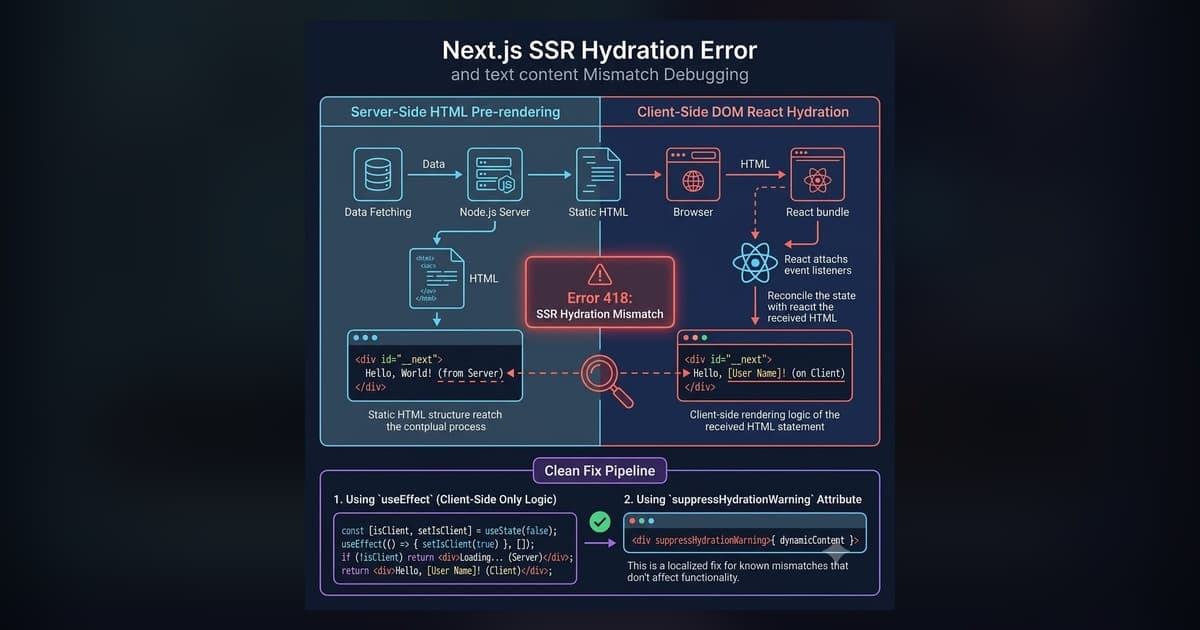
Next.js Hydration Errors: Fix 418, 423 & Text Mismatch
Complete guide to fixing Next.js hydration errors: Resolve React Error #418, Error #423, Text Content Mismatch, and window/localStorage SSR bugs with interactive diagnostics and copy-paste code.
Read more
Edge Computing for Web Developers: What It Actually Is and When to Use It
Edge computing sounds like a marketing buzzword until you actually deploy something there. Here's what it means for web developers, where it genuinely helps, and the gotchas I hit that nobody warned me about.
Read more