Next.js App Router with Prisma: Setup & Connection Pooling


Table of Contents
Modern Next.js Architecture Series
When the Next.js App Router was introduced, it represented a fundamental paradigm shift in full-stack React development. By combining React Server Components (RSC) with Prisma ORM, developers can query databases directly from server components with zero client-side fetching waterfalls, full TypeScript safety, and effortless Server Action mutations.
In this comprehensive guide, we will explore how to architect a production-ready Next.js and Prisma application, including connection pooling, global singletons to prevent pool exhaustion, type-safe Server Actions, and automated database seed scripts.
1. Project Initialization & Prisma Schema
Install Prisma and initialize your database connection:
npm install prisma @prisma/client
npx prisma init
Define your relational models inside prisma/schema.prisma:
generator client {
  provider = "prisma-client-js"
}

datasource db {
  provider = "postgresql"
  url      = env("DATABASE_URL")
}

model User {
  id        String   @id @default(cuid())
  email     String   @unique
  name      String?
  posts     Post[]
  createdAt DateTime @default(now())
}

model Post {
  id        String   @id @default(cuid())
  title     String
  content   String?
  published Boolean  @default(false)
  authorId  String
  author    User     @relation(fields: [authorId], references: [id])
  createdAt DateTime @default(now())
}
2. Preventing Connection Pool Exhaustion (Global Singleton)
During local development, Next.js Fast Refresh clears the Node.js module cache on each file edit. If you instantiate new PrismaClient() inside individual route files, every hot reload creates new database connections, quickly hitting PostgreSQL max_connections errors.
Create a robust singleton in lib/prisma.ts:
// lib/prisma.ts
import { PrismaClient } from '@prisma/client'

const prismaClientSingleton = () => {
  return new PrismaClient({
    log: process.env.NODE_ENV === 'development' ? ['query', 'error', 'warn'] : ['error'],
  })
}

declare global {
  var prismaGlobal: undefined | ReturnType<typeof prismaClientSingleton>
}

const prisma = globalThis.prismaGlobal ?? prismaClientSingleton()

export default prisma

if (process.env.NODE_ENV !== 'production') globalThis.prismaGlobal = prisma
3. Direct Data Fetching in React Server Components
Because Server Components execute exclusively on the server, you can query Prisma directly without exposing connection strings or building intermediate API routes:
// app/posts/page.tsx
import prisma from '@/lib/prisma'
import Link from 'next/link'

export const revalidate = 3600 // Cache page for 1 hour

export default async function PostsPage() {
  const posts = await prisma.post.findMany({
    where: { published: true },
    include: { author: { select: { name: true, email: true } } },
    orderBy: { createdAt: 'desc' },
  })

  return (
    <main className="max-w-4xl mx-auto p-8">
      <h1 className="text-3xl font-bold mb-6">Published Articles</h1>
      <div className="grid gap-4">
        {posts.map((post) => (
          <article key={post.id} className="p-5 border rounded-xl shadow-sm">
            <h2 className="text-xl font-semibold">{post.title}</h2>
            <p className="text-sm text-gray-500">By {post.author.name}</p>
          </article>
        ))}
      </div>
    </main>
  )
}
4. Type-Safe Data Mutations with Server Actions
To mutate data, declare Server Actions with 'use server' and revalidate cache tags:
// app/actions/createPost.ts
'use server'

import prisma from '@/lib/prisma'
import { revalidatePath } from 'next/cache'
import { redirect } from 'next/navigation'

export async function createPost(formData: FormData) {
  const title = formData.get('title') as string
  const content = formData.get('content') as string
  const authorId = formData.get('authorId') as string

  if (!title || !authorId) {
    throw new Error('Title and Author are required')
  }

  const post = await prisma.post.create({
    data: { title, content, published: true, authorId },
  })

  revalidatePath('/posts')
  redirect(`/posts/${post.id}`)
}
5. Automated Database Seeding
To seed your development database, create prisma/seed.ts:
// prisma/seed.ts
import { PrismaClient } from '@prisma/client'

const prisma = new PrismaClient()

async function main() {
  await prisma.post.deleteMany()
  await prisma.user.deleteMany()

  const user = await prisma.user.create({
    data: {
      email: 'admin@locionic.com',
      name: 'Locionic',
      posts: {
        create: [
          { title: 'Next.js App Router Architecture', published: true },
          { title: 'Prisma Connection Pooling Guide', published: true },
        ],
      },
    },
  })
  console.log('Database seeded successfully:', user.email)
}

main()
  .catch((e) => {
    console.error(e)
    process.exit(1)
  })
  .finally(async () => {
    await prisma.$disconnect()
  })
Add the seed script config to your package.json:
"prisma": {
  "seed": "ts-node --compiler-options {\"module\":\"CommonJS\"} prisma/seed.ts"
}
Run the seed command with npx prisma db seed.
Next.js Fast Refresh rebuilds modules on each file change, creating a new PrismaClient instance on every hot reload. Attaching the client to the Node.js global object (globalThis.prismaGlobal) ensures only a single connection pool instance exists during dev server lifecycles.
No, Prisma requires direct TCP database socket connections that cannot run inside browser runtimes. Query Prisma exclusively inside Server Components, Route Handlers, or Server Actions.
When deploying to serverless platforms like Vercel or AWS Lambda, connect through a connection pooler like PgBouncer, Neon Serverless Pooling, Supabase Supavisor, or Prisma Accelerate with ?pgbouncer=true&connection_limit=1.
Define a prisma.seed command in package.json pointing to prisma/seed.ts, then run npx prisma db seed to populate demo data deterministically.
You Might Also Like
Free In-Browser Developer Tools
Clean AI CLI logs, build cron expressions, decode JWTs, and calculate chmod permissions offline.
Related Articles
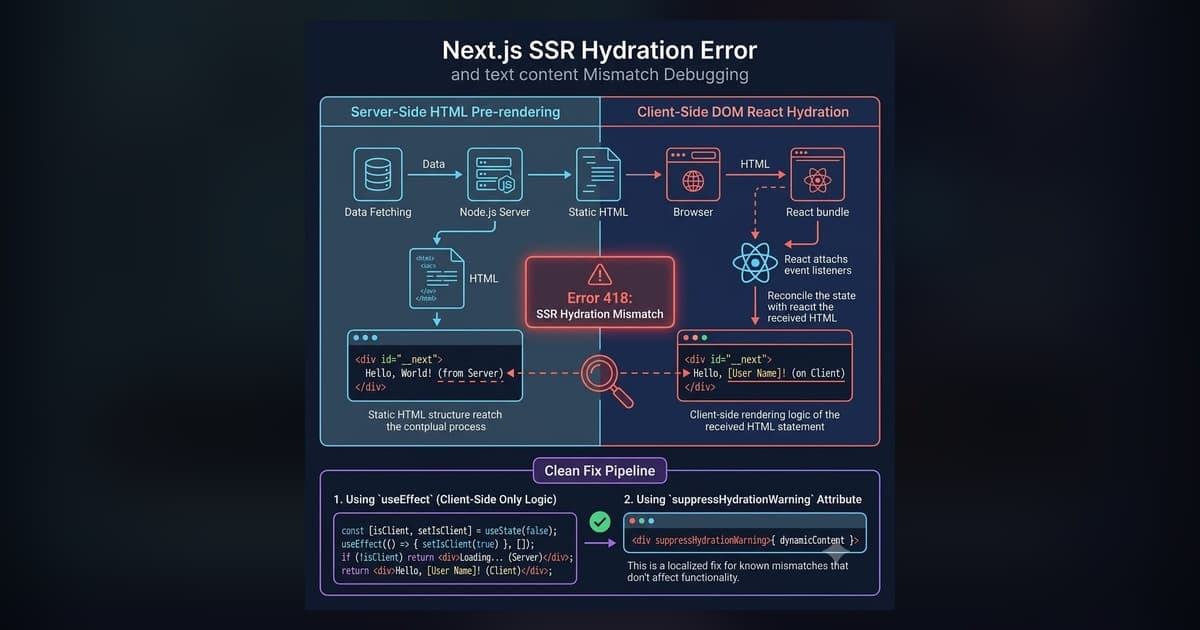
Fix Next.js Hydration Errors: React 418, Text Mismatch & suppressHydrationWarning (2026)
Copy-paste fixes for every Next.js hydration error: React #418 (browser extensions), text content mismatch, dark mode flash, suppressHydrationWarning, and Suspense #423/#425 — with real code examples.
Read more
How I Built My Portfolio with Next.js, Contentlayer, and Git Submodules
Architecture breakdown of locionic.com: Next.js App Router, Contentlayer type-safe MDX, RSC payload optimization, and automated internal link meshes.
Read more
suppressHydrationWarning in Next.js: Complete Safe Usage & Debugging Guide
Comprehensive guide covering suppresshydrationwarning in next.js: complete safe usage & debugging guide with battle-tested production examples.
Read more