LangGraph trong Production: Human-in-the-Loop, Checkpointing & State Persistence


Mục lục bài viết(9 mục)
LangGraph cung cấp một framework mạnh mẽ để xây dựng các ứng dụng đa tác nhân, có trạng thái. Việc triển khai các quy trình làm việc dựa trên tác nhân này trong môi trường sản xuất đòi hỏi phải xem xét cẩn thận việc quản lý trạng thái, khả năng chịu lỗi và sự can thiệp của con người. Hướng dẫn này trình bày chi tiết việc triển khai các ứng dụng LangGraph cấp độ sản xuất, tập trung vào lược đồ trạng thái, lưu trữ điểm kiểm tra liên tục, cơ chế con người tham gia vào quy trình (HITL) và quản lý biểu đồ con động.
Hệ thống AI Agent Runtimes & Giao thức MCP
Các Khái Niệm Cốt Lõi
Sức mạnh của LangGraph đến từ khả năng mô hình hóa các quy trình làm việc của tác nhân dưới dạng đồ thị có hướng không chu trình (DAG) hoặc đồ thị có chu trình với trạng thái. Mỗi nút trong đồ thị đại diện cho một bước, và các cạnh xác định các chuyển đổi. Đối tượng trạng thái, được truyền giữa các nút, là trung tâm để duy trì ngữ cảnh và cho phép các tương tác phức tạp.
Định Nghĩa Lược Đồ Trạng Thái
Một lược đồ trạng thái được định nghĩa tốt là rất quan trọng cho khả năng bảo trì, an toàn kiểu và tính toàn vẹn dữ liệu. LangGraph tận dụng TypedDict và Pydantic cho mục đích này. Pydantic cung cấp khả năng xác thực, tuần tự hóa và giải tuần tự hóa, làm cho nó trở nên lý tưởng cho môi trường sản xuất.
Hãy xem xét một tác nhân hỗ trợ khách hàng, yêu cầu thông tin về truy vấn của người dùng, các tương tác trong quá khứ và các giải pháp tiềm năng.
from typing import List, Literal, TypedDict, Optional
from langchain_core.messages import BaseMessage, HumanMessage, AIMessage
from pydantic import BaseModel, Field

# Define the state using TypedDict for basic structure
class AgentState(TypedDict):
    """
    Represents the state of our agentic workflow.
    """
    chat_history: List[BaseMessage]
    user_query: str
    tool_output: Optional[str]
    next_action: Optional[Literal["call_tool", "respond_to_user", "human_review"]]
    escalation_reason: Optional[str]
    # Pydantic models can be nested within TypedDict for richer validation
    customer_profile: Optional['CustomerProfile']

# Define a Pydantic model for a nested object within the state
class CustomerProfile(BaseModel):
    customer_id: str
    tier: Literal["bronze", "silver", "gold", "platinum"] = "bronze"
    recent_tickets: List[str] = Field(default_factory=list)
    is_vip: bool = False

# Example of how to use Pydantic for validation and default values
# This Pydantic model can be used to validate and parse the AgentState
class AgentStatePydantic(BaseModel):
    chat_history: List[BaseMessage]
    user_query: str
    tool_output: Optional[str] = None
    next_action: Optional[Literal["call_tool", "respond_to_user", "human_review"]] = None
    escalation_reason: Optional[str] = None
    customer_profile: Optional[CustomerProfile] = None

    class Config:
        arbitrary_types_allowed = True # Allow BaseMessage
Trong ví dụ này, AgentState định nghĩa cấu trúc tổng thể, trong khi CustomerProfile là một mô hình Pydantic cung cấp xác thực có cấu trúc cho dữ liệu khách hàng. Sự phân tách này tăng cường sự rõ ràng và khả năng tái sử dụng.
Lưu Trữ Điểm Kiểm Tra và Duy Trì Trạng Thái
Các hệ thống sản xuất yêu cầu duy trì trạng thái để phục hồi sau lỗi, tiếp tục các quy trình chạy dài và cho phép gỡ lỗi. LangGraph cung cấp các triển khai Checkpointer cho việc này.
MemorySaver (Phát Triển/Kiểm Thử)
Đối với phát triển hoặc kiểm thử cục bộ, MemorySaver là đủ. Nó lưu trữ các điểm kiểm tra trong bộ nhớ.
from langgraph.checkpoint.memory import MemorySaver
from langgraph.graph import StateGraph, END

# Define a simple graph for demonstration
class SimpleAgentState(TypedDict):
    value: int

def increment_node(state: SimpleAgentState):
    return {"value": state["value"] + 1}

builder = StateGraph(SimpleAgentState)
builder.add_node("increment", increment_node)
builder.set_entry_point("increment")
builder.add_edge("increment", END)

memory_checkpoint = MemorySaver()
graph_with_memory = builder.compile(checkpointer=memory_checkpoint)

# Run the graph
config = {"configurable": {"thread_id": "thread-1"}}
result = graph_with_memory.invoke({"value": 0}, config=config)
print(f"MemorySaver Result: {result}") # {'value': 1}

# Resume from checkpoint
result_resume = graph_with_memory.invoke({"value": 100}, config=config) # This will overwrite if not careful
# To truly resume, you'd typically load the state and then invoke
# For MemorySaver, subsequent invokes with the same thread_id will use the last state
result_resume_correct = graph_with_memory.invoke(None, config=config) # Invoking with None uses the last checkpointed state
print(f"MemorySaver Resumed Result: {result_resume_correct}") # {'value': 2}
PostgresSaver (Sản Xuất)
Đối với môi trường sản xuất, một kho lưu trữ liên tục như PostgreSQL là rất cần thiết. PostgresSaver tích hợp với cơ sở dữ liệu PostgreSQL để lưu trữ và truy xuất các điểm kiểm tra.
Đầu tiên, đảm bảo bạn có một cơ sở dữ liệu PostgreSQL đang chạy và gói psycopg2-binary đã được cài đặt (pip install psycopg2-binary).
import os
from langgraph.checkpoint.postgres import PostgresSaver
from langgraph.graph import StateGraph, END
from typing import TypedDict

# Database connection string
# In production, use environment variables or a secret management system
DATABASE_URL = os.getenv("DATABASE_URL", "postgresql://user:password@localhost:5432/langgraph_db")

# Ensure your database and table exist.
# A simple table creation script:
# CREATE TABLE IF NOT EXISTS checkpoints (
#     thread_id VARCHAR(255) PRIMARY NULL,
#     checkpoint JSONB NOT NULL,
#     metadata JSONB,
#     created_at TIMESTAMP WITH TIME ZONE DEFAULT CURRENT_TIMESTAMP
# );

# Define a simple state
class PersistentAgentState(TypedDict):
    count: int
    messages: list[str]

# Define a node function
def process_step(state: PersistentAgentState):
    new_count = state["count"] + 1
    new_messages = state["messages"] + [f"Processed step {new_count}"]
    return {"count": new_count, "messages": new_messages}

# Build the graph
builder = StateGraph(PersistentAgentState)
builder.add_node("step_one", process_step)
builder.add_node("step_two", process_step)
builder.set_entry_point("step_one")
builder.add_edge("step_one", "step_two")
builder.add_edge("step_two", END)

# Initialize PostgresSaver
postgres_checkpoint = PostgresSaver(conn_string=DATABASE_URL)
graph_with_postgres = builder.compile(checkpointer=postgres_checkpoint)

# Example usage:
thread_id = "customer_interaction_123"
config = {"configurable": {"thread_id": thread_id}}

# Initial invocation
print(f"--- Initial Invocation for thread {thread_id} ---")
initial_state = {"count": 0, "messages": ["Start"]}
result_initial = graph_with_postgres.invoke(initial_state, config=config)
print(f"Result after first run: {result_initial}")
# Expected: {'count': 2, 'messages': ['Start', 'Processed step 1', 'Processed step 2']}

# Simulate a crash and resume
print(f"\n--- Resuming Invocation for thread {thread_id} ---")
# To resume, we invoke with None, which tells LangGraph to load the last checkpoint
result_resume = graph_with_postgres.invoke(None, config=config)
print(f"Result after resuming (should be same as initial if graph ended): {result_resume}")

# Let's modify the graph to show actual resumption
# Add another step and make it loop for demonstration
builder_loop = StateGraph(PersistentAgentState)
builder_loop.add_node("step_one", process_step)
builder_loop.add_node("step_two", process_step)
builder_loop.add_node("step_three", process_step) # New step
builder_loop.set_entry_point("step_one")
builder_loop.add_edge("step_one", "step_two")
builder_loop.add_edge("step_two", "step_three")
builder_loop.add_edge("step_three", END) # Changed to END for now

graph_with_postgres_loop = builder_loop.compile(checkpointer=postgres_checkpoint)

thread_id_loop = "customer_interaction_loop_456"
config_loop = {"configurable": {"thread_id": thread_id_loop}}

print(f"\n--- Looping Invocation for thread {thread_id_loop} ---")
# First run, will go through all steps
result_loop_1 = graph_with_postgres_loop.invoke({"count": 0, "messages": ["Loop Start"]}, config=config_loop)
print(f"Result after first loop run: {result_loop_1}")
# Expected: {'count': 3, 'messages': ['Loop Start', 'Processed step 1', 'Processed step 2', 'Processed step 3']}

# Now, let's simulate a partial run and then resume
# We need to modify the graph to *not* end immediately
builder_partial = StateGraph(PersistentAgentState)
builder_partial.add_node("step_A", process_step)
builder_partial.add_node("step_B", process_step)
builder_partial.add_node("step_C", process_step)
builder_partial.set_entry_point("step_A")
builder_partial.add_edge("step_A", "step_B")
# Intentionally stop before C to demonstrate resumption
# We'll use a conditional edge to simulate a breakpoint or partial run
def should_continue(state: PersistentAgentState):
    if state["count"] < 2: # Stop after step_B
        return "continue"
    return "end"

builder_partial.add_conditional_edges(
    "step_B",
    should_continue,
    {"continue": "step_C", "end": END}
)
builder_partial.add_edge("step_C", END)

graph_with_postgres_partial = builder_partial.compile(checkpointer=postgres_checkpoint)

thread_id_partial = "partial_run_789"
config_partial = {"configurable": {"thread_id": thread_id_partial}}

print(f"\n--- Partial Invocation for thread {thread_id_partial} ---")
# Run partially, it should stop after step_B
result_partial_1 = graph_with_postgres_partial.invoke({"count": 0, "messages": ["Partial Start"]}, config=config_partial)
print(f"Result after partial run 1 (should stop at count 2): {result_partial_1}")
# Expected: {'count': 2, 'messages': ['Partial Start', 'Processed step 1', 'Processed step 2']}

# Resume the partial run. It should pick up from where it left off (after step_B)
print(f"\n--- Resuming Partial Invocation for thread {thread_id_partial} ---")
result_partial_2 = graph_with_postgres_partial.invoke(None, config=config_partial)
print(f"Result after resuming partial run (should complete step_C): {result_partial_2}")
# Expected: {'count': 3, 'messages': ['Partial Start', 'Processed step 1', 'Processed step 2', 'Processed step 3']}
Con Người Tham Gia Vào Quy Trình (HITL)
HITL rất quan trọng đối với các quy trình làm việc phức tạp, có rủi ro cao hoặc không rõ ràng. LangGraph tạo điều kiện cho điều này thông qua cơ chế interrupt. Một tác nhân có thể tạm dừng thực thi, chờ đợi đầu vào của con người, và sau đó tiếp tục.
from langgraph.graph import StateGraph, END
from typing import TypedDict, Literal, Optional
from langchain_core.messages import BaseMessage, HumanMessage, AIMessage

class HumanReviewState(TypedDict):
    chat_history: List[BaseMessage]
    user_query: str
    agent_response: Optional[str]
    human_feedback: Optional[str]
    review_needed: Literal["yes", "no"]

def agent_decides_review(state: HumanReviewState):
    # Simulate agent logic to decide if human review is needed
    if "sensitive" in state["user_query"].lower():
        return {"review_needed": "yes", "agent_response": "I've drafted a response, but it might be sensitive. Awaiting human review."}
    return {"review_needed": "no", "agent_response": "Here's my direct response."}

def generate_response(state: HumanReviewState):
    # Simulate generating a response
    if state["review_needed"] == "no":
        return {"agent_response": f"Agent's direct response to: {state['user_query']}"}
    # If review is needed, the agent_response would have been set by agent_decides_review
    return state

def human_review_node(state: HumanReviewState):
    # This node is where the human would provide feedback.
    # In a real system, this would be an API endpoint or UI interaction.
    # For demonstration, we'll assume feedback is provided externally.
    print(f"\n--- HUMAN REVIEW REQUIRED ---")
    print(f"User Query: {state['user_query']}")
    print(f"Agent's Draft/Decision: {state['agent_response']}")
    print(f"Please provide feedback for thread_id: {config['configurable']['thread_id']}")
    # The graph will be interrupted here.
    # The human would then call the graph with updated state via `update_state` or `invoke` with feedback.
    return state # State remains unchanged until human input

def process_human_feedback(state: HumanReviewState):
    if state["human_feedback"]:
        final_response = f"Agent incorporated human feedback: '{state['human_feedback']}'. Final response: {state['agent_response']}"
        return {"agent_response": final_response, "review_needed": "no"}
    return state

# Build the graph
builder = StateGraph(HumanReviewState)
builder.add_node("decide_review", agent_decides_review)
builder.add_node("generate_response", generate_response)
builder.add_node("human_review", human_review_node)
builder.add_node("process_feedback", process_human_feedback)

builder.set_entry_point("decide_review")

# Conditional edge for review
builder.add_conditional_edges(
    "decide_review",
    lambda state: state["review_needed"],
    {
        "yes": "human_review",
        "no": "generate_response",
    }
)

builder.add_edge("generate_response", END)
builder.add_edge("human_review", "process_feedback")
builder.add_edge("process_feedback", END)

# Compile with a checkpointer and interrupt_before
# Interrupt before 'human_review' node
memory_checkpoint = MemorySaver()
graph_with_hitl = builder.compile(
    checkpointer=memory_checkpoint,
    interrupt_before=["human_review"] # Interrupt before this node
)

# --- Scenario 1: No human review needed ---
thread_id_no_review = "hitl_thread_1"
config = {"configurable": {"thread_id": thread_id_no_review}}
print(f"\n--- Running Scenario 1: No Human Review Needed ({thread_id_no_review}) ---")
result_no_review = graph_with_hitl.invoke(
    {"chat_history": [], "user_query": "What is your return policy?", "review_needed": "no"},
    config=config
)
print(f"Final state (no review): {result_no_review}")
# Expected: {'chat_history': [], 'user_query': 'What is your return policy?', 'agent_response': "Agent's direct response to: What is your return policy?", 'human_feedback': None, 'review_needed': 'no'}

# --- Scenario 2: Human review needed ---
thread_id_review = "hitl_thread_2"
config = {"configurable": {"thread_id": thread_id_review}}
print(f"\n--- Running Scenario 2: Human Review Needed ({thread_id_review}) ---")
initial_state_review = {"chat_history": [], "user_query": "I have a sensitive issue with my account.", "review_needed": "yes"}

# First invocation: will run up to 'human_review' and interrupt
print("First invocation (interrupting at human_review)...")
try:
    # LangGraph raises a StopIteration when interrupted
    graph_with_hitl.invoke(initial_state_review, config=config)
except StopIteration as e:
    print(f"Graph interrupted at: {e.args[0]['configurable']['checkpoint_id']}")
    # The state at interruption can be retrieved from the checkpointer
    interrupted_state = graph_with_hitl.get_state(config)
    print(f"State at interruption: {interrupted_state.current}")

    # Simulate human providing feedback
    human_provided_feedback = "Ensure empathy and offer a direct contact number."
    print(f"\n--- Human provides feedback: '{human_provided_feedback}' ---")

    # Resume the graph with human feedback
    print("Resuming graph with human feedback...")
    final_result_review = graph_with_hitl.invoke(
        {"human_feedback": human_provided_feedback}, # Only provide the delta
        config=config
    )
    print(f"Final state after human review: {final_result_review}")
    # Expected: {'chat_history': [], 'user_query': 'I have a sensitive issue with my account.', 'agent_response': "Agent incorporated human feedback: 'Ensure empathy and offer a direct contact number.'. Final response: I've drafted a response, but it might be sensitive. Awaiting human review.", 'human_feedback': 'Ensure empathy and offer a direct contact number.', 'review_needed': 'no'}
Tham số interrupt_before trong compile yêu cầu LangGraph tạm dừng thực thi trước khi vào nút được chỉ định. Ngoại lệ StopIteration báo hiệu sự tạm dừng này. Con người sau đó có thể cung cấp đầu vào, và đồ thị có thể được tiếp tục bằng cách gọi lại nó với trạng thái đã cập nhật.
Hoàn Tác Trạng Thái
Lưu trữ điểm kiểm tra cho phép hoàn tác trạng thái. Nếu một tác nhân đưa ra một quyết định không mong muốn hoặc rơi vào trạng thái lỗi, một người vận hành hoặc hệ thống tự động có thể quay lại một điểm kiểm tra trước đó.
# Assuming graph_with_postgres_partial from above is compiled with PostgresSaver
# thread_id_partial = "partial_run_789"

# Get the history of checkpoints for a thread
history = graph_with_postgres_partial.get_state_history(config_partial)
print(f"\n--- Checkpoint History for {thread_id_partial} ---")
for i, checkpoint in enumerate(history):
    print(f"Checkpoint {i}: {checkpoint.config['configurable']['checkpoint_id']} - State: {checkpoint.state.current}")

# Let's say we want to rollback to the state before the last step
# The history is ordered from oldest to newest.
# To rollback, we need the ID of the checkpoint we want to restore.
# For demonstration, let's assume we want to go back to the state after 'step_B'
# which was the state before the final 'step_C' in the 'partial_run_789' example.
# This would be the second to last checkpoint in the history.

# Get the checkpoint ID of the state we want to restore
# In a real system, you'd have a UI or API to select this.
# For this example, let's manually pick the checkpoint ID from the history.
# Assuming the history has at least 2 checkpoints for 'partial_run_789'
if len(history) >= 2:
    checkpoint_to_restore_id = history[-2].config['configurable']['checkpoint_id']
    print(f"\n--- Rolling back to checkpoint ID: {checkpoint_to_restore_id} ---")

    # To rollback, we invoke with a specific checkpoint_id in the config
    rollback_config = {
        "configurable": {
            "thread_id": thread_id_partial,
            "checkpoint_id": checkpoint_to_restore_id
        }
    }
    # Invoking with None will load the specified checkpoint
    rolled_back_state = graph_with_postgres_partial.invoke(None, config=rollback_config)
    print(f"State after rollback: {rolled_back_state}")
    # Expected: {'count': 2, 'messages': ['Partial Start', 'Processed step 1', 'Processed step 2']}

    # Now, if we run the graph again without a specific checkpoint_id,
    # it will continue from the rolled-back state.
    print(f"\n--- Resuming after rollback ---")
    result_after_rollback = graph_with_postgres_partial.invoke(None, config=config_partial)
    print(f"Result after resuming from rolled-back state: {result_after_rollback}")
    # Expected: {'count': 3, 'messages': ['Partial Start', 'Processed step 1', 'Processed step 2', 'Processed step 3']}
else:
    print("Not enough checkpoints in history to demonstrate rollback for 'partial_run_789'.")
Đồ Thị Con Động
LangGraph cho phép xây dựng hoặc sửa đổi đồ thị động, cho phép các quy trình làm việc thích ứng. Điều này đặc biệt hữu ích cho các tác nhân cần chọn công cụ hoặc tác nhân con một cách linh hoạt dựa trên ngữ cảnh. Mặc dù việc thay đổi cấu trúc đồ thị động hoàn toàn trong thời gian chạy là phức tạp, việc gọi đồ thị con động hoặc định tuyến có điều kiện là phổ biến.
from langgraph.graph import StateGraph, END, START
from typing import TypedDict, Literal, Optional
from langchain_core.messages import BaseMessage, HumanMessage, AIMessage

class DynamicAgentState(TypedDict):
    chat_history: List[BaseMessage]
    current_task: Optional[str]
    tool_output: Optional[str]
    next_step: Literal["plan", "execute_search", "execute_calculator", "respond", "end"]

# Define some dummy tool nodes
def search_tool_node(state: DynamicAgentState):
    query = state["current_task"]
    print(f"Executing search for: {query}")
    # Simulate API call
    return {"tool_output": f"Search results for '{query}': Found 10 relevant documents."}

def calculator_tool_node(state: DynamicAgentState):
    expression = state["current_task"]
    print(f"Executing calculator for: {expression}")
    # Simulate API call
    try:
        result = eval(expression) # DANGER: Never use eval with untrusted input in production!
        return {"tool_output": f"Calculator result for '{expression}': {result}"}
    except Exception as e:
        return {"tool_output": f"Calculator error: {e}"}

def planner_node(state: DynamicAgentState):
    user_query = state["chat_history"][-1].content if state["chat_history"] else ""
    if "calculate" in user_query.lower() or "math" in user_query.lower():
        return {"current_task": "2 + 2 * 3", "next_step": "execute_calculator"}
    elif "search" in user_query.lower() or "find" in user_query.lower():
        return {"current_task": "latest AI news", "next_step": "execute_search"}
    else:
        return {"next_step": "respond"}

def responder_node(state: DynamicAgentState):
    response = f"Understood. {state.get('tool_output', 'No specific tool output.')} How else can I help?"
    return {"chat_history": state["chat_history"] + [AIMessage(content=response)], "next_step": "end"}

# Build the graph
builder = StateGraph(DynamicAgentState)
builder.add_node("planner", planner_node)
builder.add_node("execute_search", search_tool_node)
builder.add_node("execute_calculator", calculator_tool_node)
builder.add_node("responder", responder_node)

builder.set_entry_point("planner")

# Conditional routing based on planner's decision
builder.add_conditional_edges(
    "planner",
    lambda state: state["next_step"],
    {
        "execute_search": "execute_search",
        "execute_calculator": "execute_calculator",
        "respond": "responder",
    }
)

# After tool execution, go to responder
builder.add_edge("execute_search", "responder")
builder.add_edge("execute_calculator", "responder")
builder.add_edge("responder", END)

graph_dynamic = builder.compile(checkpointer=MemorySaver())

# --- Scenario 1: Search query ---
thread_id_search = "dynamic_thread_search"
config_search = {"configurable": {"thread_id": thread_id_search}}
print(f"\n--- Running Dynamic Scenario 1: Search ({thread_id_search}) ---")
result_search = graph_dynamic.invoke(
    {"chat_history": [HumanMessage(content="Please search for the latest AI news.")], "next_step": "plan"},
    config=config_search
)
print(f"Final state (search): {result_search}")
# Expected: tool_output with search results, chat_history updated.

# --- Scenario 2: Calculator query ---
thread_id_calc = "dynamic_thread_calc"
config_calc = {"configurable": {"thread_id": thread_id_calc}}
print(f"\n--- Running Dynamic Scenario 2: Calculator ({thread_id_calc}) ---")
result_calc = graph_dynamic.invoke(
    {"chat_history": [HumanMessage(content="Can you calculate 5 * 8 + 10?")], "next_step": "plan"},
    config=config_calc
)
print(f"Final state (calculator): {result_calc}")
# Expected: tool_output with calculation result, chat_history updated.

# --- Scenario 3: Direct response ---
thread_id_direct = "dynamic_thread_direct"
config_direct = {"configurable": {"thread_id": thread_direct}}
print(f"\n--- Running Dynamic Scenario 3: Direct Response ({thread_id_direct}) ---")
result_direct = graph_dynamic.invoke(
    {"chat_history": [HumanMessage(content="Hello there!")], "next_step": "plan"},
    config=config_direct
)
print(f"Final state (direct): {result_direct}")
# Expected: tool_output None, chat_history updated with direct response.
Ví dụ này minh họa định tuyến động dựa trên đầu ra của planner_node, tạo ra một đường dẫn thực thi đồ thị con động một cách hiệu quả.
So Sánh Kiến Trúc: Checkpointers
| Tính năng | MemorySaver | PostgresSaver |
|---|---|---|
| Tính bền vững | Không (trong bộ nhớ) | Bền vững (PostgreSQL) |
| Khả năng mở rộng | Thấp (một tiến trình) | Cao (dựa trên cơ sở dữ liệu) |
| Đồng thời | Hạn chế | Cao (cơ sở dữ liệu xử lý) |
| Trường hợp sử dụng | Phát triển, kiểm thử, tác vụ tạm thời | Sản xuất, quy trình làm việc dài hạn, khả năng chịu lỗi |
| Thiết lập | Đơn giản | Yêu cầu phiên bản & lược đồ PostgreSQL |
| Tính toàn vẹn dữ liệu | Thấp (dễ bay hơi) | Cao (thuộc tính ACID) |
| Hoàn tác | Có thể (nếu giữ lịch sử) | Mạnh mẽ (thông qua ID điểm kiểm tra) |
Những Vấn Đề Thường Gặp & Khắc Phục Sự Cố Trong Sản Xuất
- Tiến hóa Lược đồ: Thay đổi lược đồ trạng thái
TypedDicthoặc Pydantic của bạn trong môi trường sản xuất yêu cầu một chiến lược di chuyển cho các điểm kiểm tra hiện có.- Vấn đề: Thêm một trường không tùy chọn mà không có giá trị mặc định sẽ làm hỏng việc tải các điểm kiểm tra cũ.
- Khắc phục: Luôn thêm các trường mới dưới dạng
Optionalhoặc với một giá trị mặc định. Đối với các trường mới bắt buộc, hãy viết một tập lệnh di chuyển dữ liệu để cập nhật các điểm kiểm tra cũ trong cơ sở dữ liệu.
- Quản lý Kết nối Cơ sở dữ liệu:
PostgresSavertạo một kết nối mới cho mỗi thao tác. Đối với các ứng dụng có thông lượng cao, điều này có thể dẫn đến cạn kiệt kết nối.- Vấn đề: Lỗi "Quá nhiều kết nối" trong nhật ký PostgreSQL.
- Khắc phục: Triển khai một nhóm kết nối (ví dụ: sử dụng
SQLAlchemy'screate_enginevớipool_sizevàmax_overflow) và truyền đối tượng kết nối choPostgresSaverhoặc quản lý nó bên ngoài. Đảm bảo các kết nối được đóng đúng cách.
- Đối tượng Trạng thái Lớn: Lưu trữ các đối tượng rất lớn (ví dụ: lịch sử trò chuyện mở rộng, tài liệu nhúng) trực tiếp trong trạng thái có thể làm giảm hiệu suất và vượt quá giới hạn cơ sở dữ liệu.
- Vấn đề: Lưu trữ điểm kiểm tra chậm, lưu trữ cơ sở dữ liệu lớn, giới hạn kích thước
JSONBtiềm năng. - Khắc phục: Lưu trữ các tham chiếu (ví dụ: ID) đến các đối tượng lớn trong trạng thái, và truy xuất dữ liệu thực tế từ một kho tài liệu chuyên dụng hoặc kho đối tượng (S3, GCS) khi một nút cần.
- Vấn đề: Lưu trữ điểm kiểm tra chậm, lưu trữ cơ sở dữ liệu lớn, giới hạn kích thước
- Các Vấn đề Đồng thời với
thread_id: Nếu nhiều phiên bản hoặc yêu cầu cố gắng cập nhật cùng mộtthread_idđồng thời mà không có khóa thích hợp, các điều kiện tranh chấp có thể xảy ra.- Vấn đề: Trạng thái không nhất quán, mất cập nhật.
- Khắc phục:
checkpointercủa LangGraph xử lý tính nguyên tử cơ bản cho một lệnh gọiinvokeduy nhất. Đối với các cập nhật đồng thời phức tạp cho cùng một luồng, đảm bảo lớp ứng dụng của bạn triển khai các cơ chế khóa hoặc xếp hàng thích hợp. Cân nhắc sử dụng hàng đợi tin nhắn (Kafka, RabbitMQ) để tuần tự hóa các cập nhật cho mộtthread_idnhất định.
interrupt_beforetrong Sản xuất: Mặc dù mạnh mẽ, việc chỉ dựa vàoStopIterationcho HITL trong ngữ cảnh dịch vụ web có thể phức tạp.- Vấn đề:
StopIterationlà một ngoại lệ, không phải là một giá trị trả về bình thường. Xử lý nó một cách khéo léo trong một điểm cuối API yêu cầu xử lý lỗi cụ thể. - Khắc phục: Thiết kế API của bạn để bắt
StopIteration, trích xuấtcheckpoint_idvà trạng thái hiện tại, và trả về cho máy khách. Máy khách sau đó trình bày điều này cho con người và gửi lại trạng thái đã cập nhật để tiếp tục. Đảm bảocheckpoint_idđược sử dụng để tiếp tục.
- Vấn đề:
- Bảo mật của
eval()trong Đồ thị con động: Như đã lưu ý trong ví dụ đồ thị con động, việc sử dụngeval()để thực thi mã động là một lỗ hổng bảo mật nghiêm trọng.- Vấn đề: Thực thi mã từ xa.
- Khắc phục: KHÔNG BAO GIỜ sử dụng
eval()với đầu vào không đáng tin cậy. Đối với lựa chọn công cụ động, hãy sử dụng một tập hợp công cụ được định nghĩa trước và ánh xạ tên chuỗi tới các lệnh gọi hàm, hoặc sử dụng môi trường sandbox an toàn nếu thực sự cần thực thi mã tùy ý (điều này hiếm khi xảy ra).
Các Câu Hỏi Thường Gặp
- Làm cách nào để xử lý xác thực và ủy quyền cho các bước con người tham gia vào quy trình?
Triển khai một lớp API bao bọc lệnh gọi LangGraph của bạn. Khi một nút
interrupt_befoređược truy cập, API của bạn sẽ trả về trạng thái hiện tại và mộtcheckpoint_id. Giao diện người dùng/máy khách sau đó trình bày điều này cho người dùng đã được xác thực. Khi người dùng cung cấp phản hồi, API nhận nó, xác thực người dùng, ủy quyền cho họ hành động trênthread_idcụ thể đó, và sau đó gọi LangGraph với trạng thái đã cập nhật vàcheckpoint_idđể tiếp tục. - Tôi có thể sử dụng một cơ sở dữ liệu khác để lưu trữ điểm kiểm tra, như MongoDB hoặc Redis không?
LangGraph cung cấp
MemorySavervàPostgresSaversẵn có. Đối với các cơ sở dữ liệu khác, bạn sẽ cần triển khai một lớpBaseCheckpointSavertùy chỉnh. Điều này liên quan đến việc triển khai các phương thức nhưget,putvàlist. Đối với MongoDB, bạn có thể sử dụngpymongovà lưu trữ các điểm kiểm tra dưới dạng tài liệu. Đối với Redis, bạn có thể tuần tự hóa trạng thái thành JSON và lưu trữ nó dưới dạng một hash hoặc chuỗi. - Cách tốt nhất để giám sát các quy trình làm việc của LangGraph trong môi trường sản xuất là gì?
Tích hợp với các công cụ quan sát.
- Ghi nhật ký: Sử dụng ghi nhật ký có cấu trúc trong các nút của bạn để ghi lại các sự kiện chính, thay đổi trạng thái và các lệnh gọi công cụ.
- Theo dõi: LangChain tích hợp với LangSmith để theo dõi chi tiết các bước của tác nhân, các lệnh gọi LLM và các lệnh gọi công cụ. Điều này rất có giá trị để gỡ lỗi và hiểu các quy trình làm việc phức tạp.
- Số liệu: Phát ra các số liệu tùy chỉnh (ví dụ: thời gian thực thi nút, số lần can thiệp của con người, tỷ lệ lỗi) đến thiết lập Prometheus/Grafana hoặc Datadog của bạn.
- Làm cách nào để quản lý phiên bản các quy trình làm việc của LangGraph?
Coi định nghĩa đồ thị của bạn là mã và quản lý nó trong kiểm soát phiên bản (Git). Khi triển khai, đảm bảo phiên bản đồ thị được triển khai tương thích với các lược đồ điểm kiểm tra hiện có. Đối với các thay đổi lược đồ lớn, hãy triển khai một phiên bản mới của đồ thị và có thể di chuyển các luồng cũ sang lược đồ mới hoặc chạy các luồng cũ với định nghĩa đồ thị cũ. Cân nhắc sử dụng một lược đồ phiên bản cho
thread_idcủa bạn hoặc lưu trữ phiên bản đồ thị trong siêu dữ liệu điểm kiểm tra. - Ứng dụng LangGraph của tôi chậm. Làm cách nào để gỡ lỗi hiệu suất?
- Các lệnh gọi LLM: Nút thắt cổ chai chính thường là thời gian suy luận của LLM. Tối ưu hóa lời nhắc, sử dụng các mô hình nhanh hơn hoặc triển khai bộ nhớ đệm cho các lệnh gọi LLM phổ biến.
- Các lệnh gọi công cụ: Lập hồ sơ các hàm công cụ của bạn. Các API bên ngoài có chậm không? Các truy vấn cơ sở dữ liệu có được tối ưu hóa không?
- Kích thước trạng thái: Như đã đề cập, các đối tượng trạng thái lớn có thể làm chậm quá trình lưu trữ điểm kiểm tra.
- Độ phức tạp của đồ thị: Các đồ thị rất phức tạp với nhiều nút và các cạnh có điều kiện có thể có chi phí. Đơn giản hóa nếu có thể.
- Checkpointer: Đảm bảo cơ sở dữ liệu của bạn (đối với
PostgresSaver) có hiệu suất cao và được lập chỉ mục đúng cách. - Theo dõi: Sử dụng LangSmith hoặc các công cụ tương tự để xác định các phần chậm nhất trong quá trình thực thi đồ thị của bạn.
Free In-Browser Developer Tools
Clean AI CLI logs, build cron expressions, decode JWTs, and calculate chmod permissions offline.
Related Articles

LangGraph vs CrewAI năm 2026: Điều phối đa tác nhân, máy trạng thái & DAG tuần hoàn
Hướng dẫn toàn diện so sánh langgraph vs crewai năm 2026: điều phối đa tác nhân, máy trạng thái & DAG tuần hoàn với kiến trúc cấp độ sản xuất và ví dụ mã.
Read more
Các AI Agent trong Kỹ thuật Phần mềm: Các Mô hình Kiến trúc Thực sự Hiệu quả
Vượt ra ngoài các copilot đến các agent tự động: vòng lặp gọi công cụ, tích hợp MCP, kiến trúc bộ nhớ, phối hợp đa agent và các giới hạn an toàn mà mọi nhóm kỹ thuật cần xác định trước khi triển khai agent.
Read more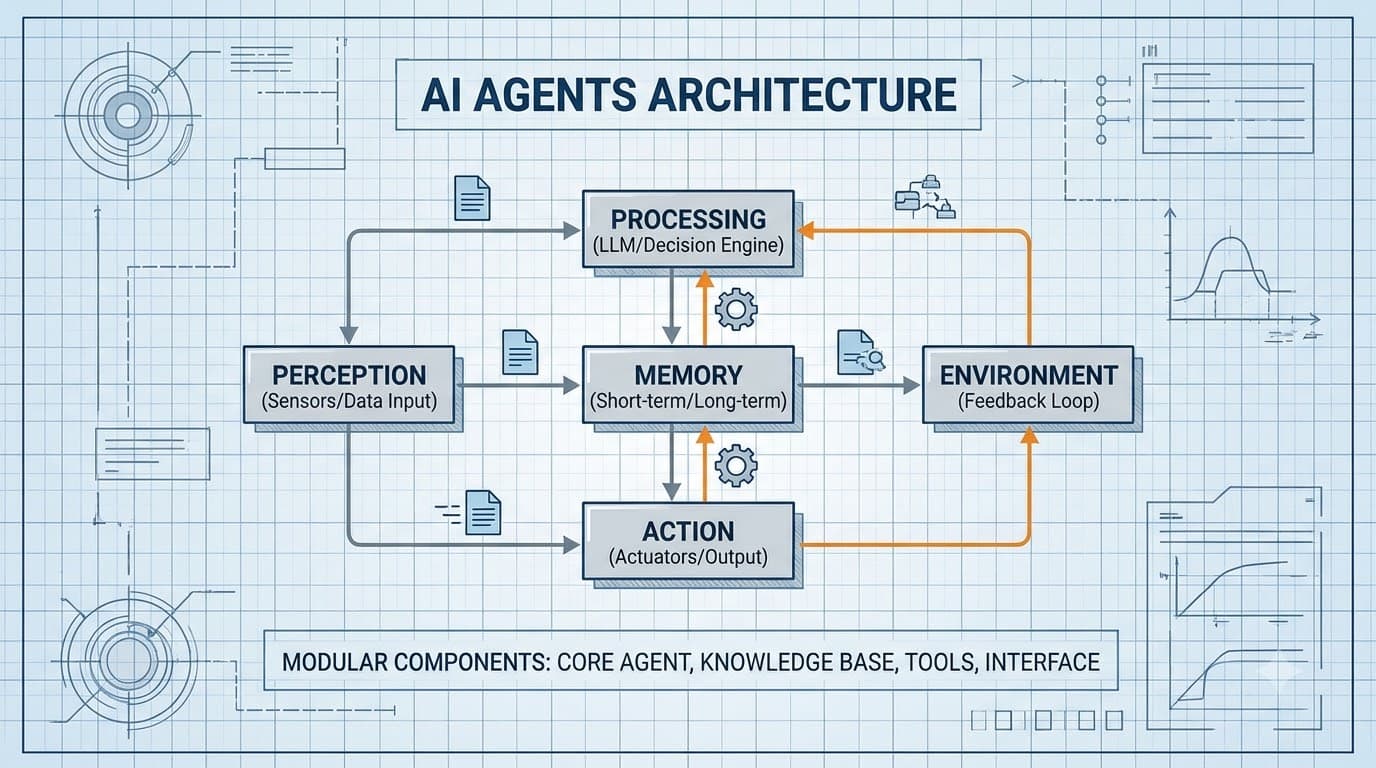
Kiến trúc tác nhân AI trong thực tế: Bộ nhớ, sử dụng công cụ và các chế độ lỗi
Hướng dẫn thực hành xây dựng hệ thống tác nhân AI vào năm 2026: Vòng lặp ReAct, bộ nhớ vector, các mẫu gọi công cụ, điều phối đa tác nhân và cách kiểm thử các tác nhân thất bại một cách duyên dáng.
Read more