Khả năng quan sát LLM và phát triển theo hướng đánh giá với LangSmith: Truy vết, phản hồi & cổng CI


Mục lục bài viết(11 mục)
Hướng dẫn này trình bày chi tiết việc triển khai các quy trình phát triển dựa trên khả năng quan sát và đánh giá mạnh mẽ cho các ứng dụng Mô hình Ngôn ngữ Lớn (LLM) sử dụng LangSmith. Nó bao gồm theo dõi phân tán cho các quy trình RAG phức tạp và các tác nhân tự động, tạo tập dữ liệu ground-truth, đánh giá tự động với các bộ đánh giá khớp chính xác và LLM-as-a-judge, cũng như tích hợp các cổng đánh giá vào quy trình CI/CD để ngăn chặn sự thoái lui của prompt.
1. Tổng quan kiến trúc: Khả năng quan sát và đánh giá LLM
Các ứng dụng LLM cấp độ sản xuất đòi hỏi khả năng quan sát tinh vi và đánh giá nghiêm ngặt. Không giống như phần mềm truyền thống, hành vi của LLM là không xác định, khiến việc kiểm thử đơn vị và tích hợp truyền thống không đủ. Một vòng đời phát triển LLM hiệu quả tích hợp giám sát liên tục, vòng lặp phản hồi và đánh giá tự động để đảm bảo hiệu suất, độ tin cậy và hiệu quả chi phí.
Các thành phần cốt lõi của kiến trúc này là:
- Theo dõi phân tán: Ghi lại toàn bộ luồng thực thi của một ứng dụng LLM, từ đầu vào của người dùng đến đầu ra cuối cùng, bao gồm tất cả các bước trung gian, lệnh gọi API và tương tác mô hình. Điều này rất quan trọng để gỡ lỗi các chuỗi RAG phức tạp và hệ thống đa tác nhân.
- Cơ chế phản hồi: Thu thập phản hồi của con người về đầu ra của LLM trong sản xuất để xác định các chế độ lỗi và tạo dữ liệu đánh giá chất lượng cao.
- Quản lý tập dữ liệu Ground Truth: Xây dựng các tập dữ liệu đại diện với đầu vào dự kiến và đầu ra mong muốn để đánh giá tự động.
- Đánh giá tự động: Chạy các bộ đánh giá khác nhau (khớp chính xác, tương đồng ngữ nghĩa, LLM-as-a-judge) đối với các tập dữ liệu được quản lý để định lượng hiệu suất.
- Phát triển dựa trên đánh giá (EDD): Cải thiện lặp đi lặp lại các ứng dụng LLM dựa trên kết quả đánh giá, coi các số liệu đánh giá là mục tiêu phát triển chính.
- Tích hợp CI/CD: Nhúng các cổng đánh giá vào các quy trình tích hợp liên tục để ngăn chặn sự thoái lui và thực thi các tiêu chuẩn chất lượng trước khi triển khai.
LangSmith đóng vai trò là nền tảng trung tâm để điều phối các thành phần này, cung cấp một giao diện thống nhất để theo dõi, quản lý tập dữ liệu, thực thi đánh giá và trực quan hóa kết quả.
2. Thiết lập LangSmith
Đảm bảo bạn có tài khoản LangSmith và khóa API.
import os
from dotenv import load_dotenv

load_dotenv()

os.environ["LANGCHAIN_TRACING_V2"] = "true"
os.environ["LANGCHAIN_API_KEY"] = os.getenv("LANGSMITH_API_KEY")
os.environ["LANGCHAIN_PROJECT"] = "locionic-llm-observability-guide" # Replace with your project name
os.environ["OPENAI_API_KEY"] = os.getenv("OPENAI_API_KEY") # Required for LLM-based evaluators and examples
3. Theo dõi phân tán cho RAG và Agents
Theo dõi phân tán trong LangSmith cung cấp một cái nhìn chi tiết về mọi hoạt động trong một ứng dụng LLM. Điều này là vô giá để gỡ lỗi, tối ưu hóa hiệu suất và hiểu các mẫu tương tác phức tạp.
3.1 Theo dõi một chuỗi RAG đơn giản
Hãy xem xét một quy trình RAG cơ bản: truy xuất tài liệu, sau đó tạo câu trả lời dựa trên ngữ cảnh đã truy xuất.
from langchain_openai import ChatOpenAI, OpenAIEmbeddings
from langchain_community.vectorstores import FAISS
from langchain.chains import create_retrieval_chain
from langchain.chains.combine_documents import create_stuff_documents_chain
from langchain_core.prompts import ChatPromptTemplate
from langchain_core.documents import Document

# 1. Initialize Components
llm = ChatOpenAI(model="gpt-4o", temperature=0)
embeddings = OpenAIEmbeddings()

# 2. Create a dummy vector store
# In a real application, this would be populated from a knowledge base.
docs = [
    Document(page_content="The capital of France is Paris.", metadata={"source": "wiki"}),
    Document(page_content="Eiffel Tower is in Paris.", metadata={"source": "travel_guide"}),
    Document(page_content="The official language of France is French.", metadata={"source": "wiki"}),
    Document(page_content="Mount Everest is the highest mountain in the world.", metadata={"source": "geography"}),
]
vectorstore = FAISS.from_documents(docs, embeddings)
retriever = vectorstore.as_retriever()

# 3. Define the prompt for generation
system_prompt = (
    "You are an assistant for question-answering tasks. "
    "Use the following pieces of retrieved context to answer the question. "
    "If you don't know the answer, just say that you don't know. "
    "Keep the answer concise."
    "\n\n{context}"
)
prompt = ChatPromptTemplate.from_messages(
    [
        ("system", system_prompt),
        ("human", "{input}"),
    ]
)

# 4. Create the document combining chain
question_answer_chain = create_stuff_documents_chain(llm, prompt)

# 5. Create the full retrieval chain
rag_chain = create_retrieval_chain(retriever, question_answer_chain)

# 6. Invoke the chain and observe in LangSmith
print("Invoking RAG chain...")
response = rag_chain.invoke({"input": "What is the capital of France?"})
print(f"RAG Response: {response['answer']}")

response_no_answer = rag_chain.invoke({"input": "What is the capital of Germany?"})
print(f"RAG Response (no answer): {response_no_answer['answer']}")
Sau khi chạy đoạn mã này, hãy điều hướng đến dự án LangSmith của bạn. Bạn sẽ thấy các dấu vết cho mỗi lệnh gọi rag_chain.invoke(). Mỗi dấu vết sẽ hiển thị:
- Lần chạy
rag_chainban đầu. - Một lần chạy
retrieverlồng nhau, hiển thị các tài liệu đã được tìm nạp. - Một lần chạy
question_answer_chainlồng nhau, hiển thị prompt được xây dựng với ngữ cảnh và lệnh gọi LLM. - Phản hồi LLM cuối cùng.
Chế độ xem phân cấp này rất quan trọng để xác định các nút thắt cổ chai (ví dụ: bộ truy xuất chậm), các vấn đề kỹ thuật prompt (ví dụ: ngữ cảnh không được sử dụng) hoặc ảo giác LLM.
3.2 Theo dõi một tác nhân tự động
Các tác nhân tự động giới thiệu sự phức tạp hơn do quá trình ra quyết định lặp đi lặp lại và việc sử dụng công cụ của chúng. Khả năng theo dõi của LangSmith thậm chí còn quan trọng hơn ở đây.
from langchain_openai import ChatOpenAI
from langchain import hub
from langchain.agents import AgentExecutor, create_openai_functions_agent
from langchain_core.tools import tool

# Define a custom tool
@tool
def get_current_weather(location: str) -> str:
    """Get the current weather in a given location."""
    if "london" in location.lower():
        return "It's cloudy with a chance of rain in London."
    elif "paris" in location.lower():
        return "It's sunny and warm in Paris."
    else:
        return "Weather data not available for this location."

tools = [get_current_weather]

# Get the agent prompt from LangChain Hub
prompt = hub.pull("hwchase17/openai-functions-agent")

# Initialize the LLM
llm = ChatOpenAI(model="gpt-4o", temperature=0)

# Create the agent
agent = create_openai_functions_agent(llm, tools, prompt)

# Create the agent executor
agent_executor = AgentExecutor(agent=agent, tools=tools, verbose=True)

# Invoke the agent
print("\nInvoking Agent Executor (London weather)...")
agent_executor.invoke({"input": "What's the weather like in London?"})

print("\nInvoking Agent Executor (Paris weather)...")
agent_executor.invoke({"input": "What's the weather like in Paris?"})

print("\nInvoking Agent Executor (Unknown location)...")
agent_executor.invoke({"input": "What's the weather like in Tokyo?"})
Trong LangSmith, các dấu vết tác nhân sẽ hiển thị:
- Lần chạy
AgentExecutorchính. - Các lần chạy
Agentlồng nhau, hiển thị quá trình suy nghĩ của LLM và các lệnh gọi công cụ. - Các lần chạy
Toolriêng lẻ, cho biết công cụ nào đã được gọi và đầu ra của nó. - Các lần chạy
Agenttiếp theo, hiển thị LLM xử lý đầu ra của công cụ.
Điều này cho phép bạn gỡ lỗi các vòng lặp tác nhân, lựa chọn công cụ không chính xác hoặc các vấn đề với việc diễn giải đầu ra của công cụ.
4. Cơ chế phản hồi và quản lý tập dữ liệu
Đánh giá chất lượng cao bắt đầu bằng dữ liệu chất lượng cao. LangSmith tạo điều kiện thu thập phản hồi của con người và quản lý các tập dữ liệu ground-truth.
4.1 Thu thập phản hồi của con người trong sản xuất
Tích hợp các cơ chế phản hồi trực tiếp vào giao diện người dùng của ứng dụng của bạn. Khi người dùng tương tác với đầu ra của LLM, hãy cung cấp các tùy chọn để đánh giá phản hồi (ví dụ: "👍", "👎", "Chính xác", "Không chính xác", "Có hại").
LangSmith cung cấp API để ghi lại phản hồi theo chương trình.
from langsmith import Client
from langsmith import RunStatus

client = Client()

# Simulate a previous run (e.g., from your RAG chain)
# In a real scenario, you'd get the run_id from the LangChain callback handler.
# For demonstration, let's create a dummy run.
dummy_run = client.create_run(
    project_name=os.environ["LANGCHAIN_PROJECT"],
    run_type="llm",
    name="dummy_llm_call_for_feedback",
    inputs={"prompt": "What is the capital of France?"},
    outputs={"completion": "Paris."},
    status=RunStatus.COMPLETED,
)
dummy_run_id = dummy_run.id

# Simulate user feedback
feedback_score = 1.0 # 1.0 for positive, 0.0 for negative
feedback_key = "user_score"
comment = "The answer was accurate and concise."

client.create_feedback(
    run_id=dummy_run_id,
    key=feedback_key,
    score=feedback_score,
    comment=comment,
    source_info={"user_id": "user_123", "session_id": "sess_abc"}, # Optional metadata
)
print(f"Feedback logged for run_id: {dummy_run_id}")

# Another example with negative feedback
dummy_run_negative = client.create_run(
    project_name=os.environ["LANGCHAIN_PROJECT"],
    run_type="llm",
    name="dummy_llm_call_for_feedback_negative",
    inputs={"prompt": "Who won the 2022 World Cup?"},
    outputs={"completion": "Brazil."}, # Incorrect
    status=RunStatus.COMPLETED,
)
dummy_run_negative_id = dummy_run_negative.id

client.create_feedback(
    run_id=dummy_run_negative_id,
    key="user_score",
    score=0.0,
    comment="Incorrect answer, Argentina won.",
)
print(f"Negative feedback logged for run_id: {dummy_run_negative_id}")
Phản hồi này sau đó có thể được sử dụng để lọc các dấu vết, xác định các chế độ lỗi phổ biến và ưu tiên các cải tiến. Quan trọng hơn, phản hồi tích cực có thể được sử dụng để tự động tạo các ví dụ ground truth.
4.2 Tạo tập dữ liệu Ground Truth
LangSmith cho phép bạn tạo tập dữ liệu từ các lần chạy hiện có, tải lên CSV/JSON hoặc theo chương trình.
4.2.1 Từ các lần chạy hiện có (Dựa trên phản hồi)
Bạn có thể lọc các lần chạy trong LangSmith theo điểm phản hồi và sau đó xuất chúng sang một tập dữ liệu. Ví dụ, lọc các lần chạy với user_score:1.0 và sau đó chọn "Create Dataset" từ giao diện người dùng. Đây là một cách mạnh mẽ để khởi tạo các tập dữ liệu đánh giá từ việc sử dụng sản xuất.
4.2.2 Tạo tập dữ liệu theo chương trình
Đối với các tính năng mới hoặc các trường hợp thử nghiệm cụ thể, bạn sẽ tạo tập dữ liệu theo chương trình.
from langsmith import Client
from langsmith.schemas import Example

client = Client()

dataset_name = "RAG Question Answering Evaluation"
dataset_description = "Questions and answers for evaluating the RAG chain."

# Check if dataset exists, create if not
try:
    dataset = client.read_dataset(dataset_name=dataset_name)
    print(f"Dataset '{dataset_name}' already exists.")
except Exception:
    dataset = client.create_dataset(
        dataset_name=dataset_name,
        description=dataset_description,
        data_type="kv", # Key-value pairs
    )
    print(f"Dataset '{dataset_name}' created.")

# Define examples
examples = [
    {"input": "What is the capital of France?", "output": "Paris."},
    {"input": "Who painted the Mona Lisa?", "output": "Leonardo da Vinci."},
    {"input": "What is the highest mountain in the world?", "output": "Mount Everest."},
    {"input": "What is the largest ocean on Earth?", "output": "Pacific Ocean."},
    {"input": "What is the chemical symbol for water?", "output": "H2O."},
]

# Add examples to the dataset
for i, ex in enumerate(examples):
    # Check if example already exists to prevent duplicates on re-run
    # In a real scenario, you might have a more robust check or clear existing examples.
    try:
        client.create_example(
            dataset_id=dataset.id,
            inputs={"input": ex["input"]},
            outputs={"answer": ex["output"]}, # Match the output key of your chain
            metadata={"example_id": f"ex_{i}"}
        )
        print(f"Added example: {ex['input']}")
    except Exception as e:
        if "already exists" in str(e): # Basic check for existing example
            print(f"Example '{ex['input']}' already exists in dataset.")
        else:
            raise e

print(f"Dataset '{dataset_name}' populated with {len(examples)} examples.")
Những cân nhắc chính cho tập dữ liệu:
- Tính đại diện: Đảm bảo tập dữ liệu của bạn bao gồm các truy vấn người dùng phổ biến, các trường hợp biên và các chế độ lỗi đã biết.
- Tính đa dạng: Bao gồm nhiều loại câu hỏi (thực tế, suy luận, đàm thoại).
- Chất lượng Ground Truth:
output(hoặcreference_output) trong các ví dụ của bạn phải hoàn toàn chính xác. - Khóa đầu vào/đầu ra: Các khóa trong từ điển
inputsvàoutputsphải khớp với các khóa đầu vào và đầu ra dự kiến của chuỗi bạn đang đánh giá (ví dụ:inputvàanswercho chuỗi RAG).
5. Đánh giá tự động với LangSmith
Đánh giá tự động là nền tảng của EDD. LangSmith cung cấp nhiều bộ đánh giá khác nhau, từ khớp chính xác đơn giản đến LLM-as-a-judge tinh vi.
5.1 Chạy một đánh giá
Để chạy một đánh giá, bạn cần:
- Một tập dữ liệu (được tạo trong Phần 4.2).
- Một "runnable" (chuỗi LLM hoặc tác nhân của bạn).
- Một hoặc nhiều bộ đánh giá.
from langsmith import Client
from langsmith.evaluation import evaluate
from langchain_core.prompts import ChatPromptTemplate
from langchain_openai import ChatOpenAI
from langchain.chains import create_retrieval_chain
from langchain.chains.combine_documents import create_stuff_documents_chain
from langchain_community.vectorstores import FAISS
from langchain_openai import OpenAIEmbeddings
from langchain_core.documents import Document
import os

client = Client()

# Re-create the RAG chain for evaluation
llm_eval = ChatOpenAI(model="gpt-4o", temperature=0)
embeddings_eval = OpenAIEmbeddings()

docs_eval = [
    Document(page_content="The capital of France is Paris.", metadata={"source": "wiki"}),
    Document(page_content="Eiffel Tower is in Paris.", metadata={"source": "travel_guide"}),
    Document(page_content="The official language of France is French.", metadata={"source": "wiki"}),
    Document(page_content="Mount Everest is the highest mountain in the world.", metadata={"source": "geography"}),
    Document(page_content="Leonardo da Vinci painted the Mona Lisa.", metadata={"source": "art_history"}),
    Document(page_content="The Pacific Ocean is the largest ocean on Earth.", metadata={"source": "geography"}),
    Document(page_content="Water's chemical symbol is H2O.", metadata={"source": "chemistry"}),
]
vectorstore_eval = FAISS.from_documents(docs_eval, embeddings_eval)
retriever_eval = vectorstore_eval.as_retriever()

system_prompt_eval = (
    "You are an assistant for question-answering tasks. "
    "Use the following pieces of retrieved context to answer the question. "
    "If you don't know the answer, just say that you don't know. "
    "Keep the answer concise."
    "\n\n{context}"
)
prompt_eval = ChatPromptTemplate.from_messages(
    [
        ("system", system_prompt_eval),
        ("human", "{input}"),
    ]
)
question_answer_chain_eval = create_stuff_documents_chain(llm_eval, prompt_eval)
rag_chain_to_evaluate = create_retrieval_chain(retriever_eval, question_answer_chain_eval)

# Define evaluators
# 1. Exact Match Evaluator
# Checks if the predicted output exactly matches the reference output.
# Case-insensitive and whitespace-insensitive by default.
from langsmith.evaluation import ExactMatchEvaluator

exact_match_evaluator = ExactMatchEvaluator(
    criteria={"accuracy": "The predicted output should exactly match the reference output."}
)

# 2. LLM-as-a-Judge Evaluator
# Uses an LLM to assess the quality of the response based on custom criteria.
# Requires an LLM (e.g., OpenAI's gpt-4o).
from langsmith.evaluation import LangChainStringEvaluator

llm_judge_evaluator = LangChainStringEvaluator(
    eval_llm=llm_eval, # Use the same LLM or a more powerful one for evaluation
    config={
        "criteria": {
            "correctness": "Is the submission factually correct and directly answers the question?",
            "conciseness": "Is the submission concise and to the point, avoiding unnecessary verbosity?",
            "relevance": "Is the submission relevant to the question asked?",
        },
        "eval_chain_name": "llm_judge_rag_evaluator",
    },
    # You can also provide a custom prompt for the LLM judge
    # prompt="You are an expert evaluator. Assess the following submission..."
)

# Run the evaluation
print("Starting evaluation run...")
evaluation_results = evaluate(
    llm_or_chain=rag_chain_to_evaluate,
    data=dataset_name, # Name of the dataset created earlier
    evaluators=[
        exact_match_evaluator,
        llm_judge_evaluator,
        # You can add more evaluators here, e.g., "qa", "cot_qa", "embedding_distance"
    ],
    experiment_prefix="rag-chain-v1", # Name for this evaluation run
    metadata={"model_version": "gpt-4o", "retriever_config": "faiss_default"},
    max_concurrency=5, # Adjust based on API rate limits
)

print("\nEvaluation complete. Results available in LangSmith.")
# The evaluation_results object contains a summary and links to the full results in LangSmith.
# You can access metrics like:
# print(evaluation_results["results"][0].evaluator_info)
Sau khi đánh giá hoàn tất, hãy điều hướng đến phần "Testing" trong dự án LangSmith của bạn. Bạn sẽ thấy thử nghiệm rag-chain-v1 của mình. Nhấp vào đó để xem kết quả chi tiết, bao gồm:
- Điểm tổng hợp cho mỗi bộ đánh giá.
- Kết quả ví dụ riêng lẻ, hiển thị đầu vào, đầu ra tham chiếu, đầu ra dự đoán và phản hồi của bộ đánh giá.
- Các dấu vết cho mỗi lần chạy được đánh giá, cho phép kiểm tra sâu các lỗi.
5.2 Các loại bộ đánh giá và sự đánh đổi
LangSmith cung cấp nhiều bộ đánh giá tích hợp sẵn.
| Loại bộ đánh giá | Mô tả
Free In-Browser Developer Tools
Clean AI CLI logs, build cron expressions, decode JWTs, and calculate chmod permissions offline.
Related Articles
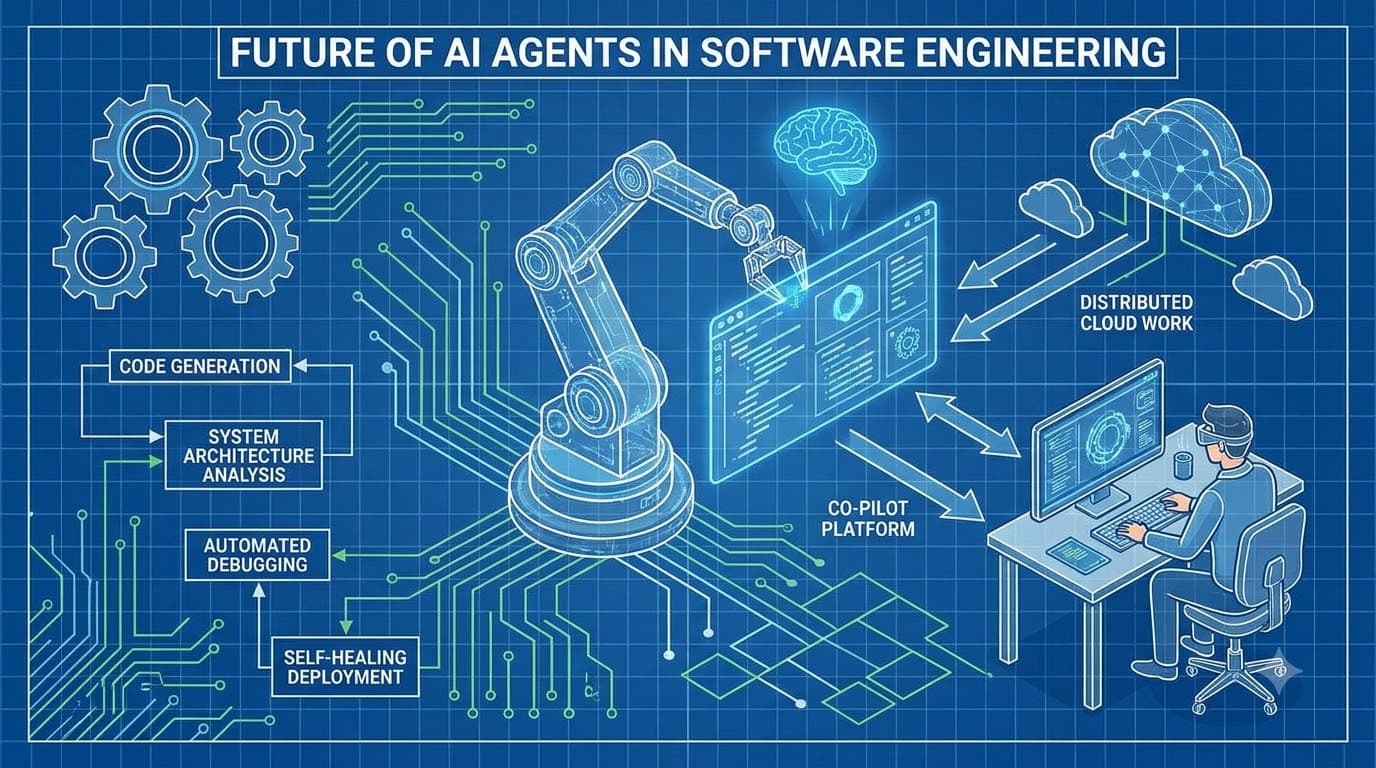
Các AI Agent trong Kỹ thuật Phần mềm: Các Mô hình Kiến trúc Thực sự Hiệu quả
Vượt ra ngoài các copilot đến các agent tự động: vòng lặp gọi công cụ, tích hợp MCP, kiến trúc bộ nhớ, phối hợp đa agent và các giới hạn an toàn mà mọi nhóm kỹ thuật cần xác định trước khi triển khai agent.
Read more
RAG tác nhân có trạng thái: Máy trạng thái đồ thị, vòng lặp tự sửa lỗi & định tuyến dự phòng
Hướng dẫn toàn diện về RAG tác nhân có trạng thái: máy trạng thái đồ thị, vòng lặp tự sửa lỗi & định tuyến dự phòng với kiến trúc cấp độ sản xuất và ví dụ code.
Read more
Hệ thống đa tác nhân phân cấp trong LangGraph: Giám sát, Đồ thị con & Máy trạng thái
Hướng dẫn toàn diện về hệ thống đa tác nhân phân cấp trong LangGraph: giám sát, đồ thị con và máy trạng thái với kiến trúc cấp độ sản xuất và ví dụ mã.
Read more