suppressHydrationWarning in Next.js: Complete Safe Usage & Debugging Guide


Table of Contents
Hydration is a fundamental process in modern React applications, especially within frameworks like Next.js, where Server-Side Rendering (SSR) or Static Site Generation (SSG) is prevalent. It's the mechanism by which React "attaches" to the server-rendered HTML, turning static markup into interactive UI. When the client-side React component tree doesn't precisely match the server-rendered HTML, a "hydration mismatch" occurs, leading to warnings and potential UI inconsistencies.
React provides suppressHydrationWarning as an escape hatch to silence these warnings. This guide details its appropriate use cases, potential pitfalls, and how to debug issues in a production Next.js environment using React 19 and Next.js 15.
Understanding Hydration Mismatches
A hydration mismatch happens when the React component tree rendered on the server differs from the component tree rendered on the client. React expects the initial client-side render to produce identical DOM structure and content as the server-rendered HTML. If a discrepancy is detected, React logs a warning in development mode:
Warning: Prop `className` did not match. Server: "foo" Client: "bar"
Warning: Text content did not match. Server: "Hello" Client: "World"
Warning: Expected server HTML to contain a matching <tag> in <parent>.
These warnings are critical. They indicate that the client-side React application is attempting to take over a DOM structure that doesn't align with its expectations. This can lead to:
- Performance Degradation: React might discard the server-rendered HTML for the mismatched part and re-render it entirely on the client, negating some SSR benefits.
- UI Glitches: Brief flashes of incorrect content or layout shifts.
- Accessibility Issues: Screen readers or assistive technologies might interact with an unstable DOM.
- Unexpected Behavior: Event handlers might not attach correctly, or state might be initialized incorrectly.
The Role of suppressHydrationWarning
The suppressHydrationWarning prop is a boolean attribute that can be added to any HTML element or React component. When set to true, React will suppress the hydration warning for that specific element and its children.
<div suppressHydrationWarning={true}>
  {/* Content that might cause a hydration mismatch */}
</div>
Crucially, suppressHydrationWarning does not fix the underlying mismatch. It merely tells React to proceed with hydration despite the discrepancy, without logging a warning. React will still attempt to reconcile the DOM, often by re-rendering the mismatched portion on the client. Therefore, it should be used judiciously, only when the mismatch is understood, expected, and harmless.
Safe Use Cases for suppressHydrationWarning
There are specific scenarios where a hydration mismatch is unavoidable or benign, making suppressHydrationWarning an acceptable solution.
1. Browser Extensions
Browser extensions can inject arbitrary HTML into the DOM, often outside the control of your application. This external content can cause React to detect a mismatch, even if your application's code is perfectly consistent.
Example: A password manager extension might inject an icon next to an input field.
// components/LoginForm.tsx
export default function LoginForm() {
  return (
    <form>
      <label htmlFor="username">Username</label>
      <input type="text" id="username" name="username" />
      <label htmlFor="password">Password</label>
      {/* Browser extensions might inject elements here */}
      <input type="password" id="password" name="password" suppressHydrationWarning />
      <button type="submit">Login</button>
    </form>
  );
}
In this case, applying suppressHydrationWarning to the input element (or its parent div) can prevent warnings caused by external interference.
2. Timestamps and Dates
Dates and times are inherently client-specific. new Date() on the server will reflect the server's timezone and time, while new Date() on the client will reflect the user's local timezone and time. This often leads to text content mismatches.
Example: Displaying a "Last updated" timestamp.
// components/TimestampDisplay.tsx
'use client'; // This component needs client-side execution for accurate local time

import { useEffect, useState } from 'react';

interface TimestampDisplayProps {
  isoString: string; // ISO string from server
}

export default function TimestampDisplay({ isoString }: TimestampDisplayProps) {
  const [displayTime, setDisplayTime] = useState('');

  // Option 1: Use useEffect to ensure client-side rendering only
  // This is generally preferred for complex client-side logic
  useEffect(() => {
    const date = new Date(isoString);
    setDisplayTime(date.toLocaleString());
  }, [isoString]);

  // Option 2: Use suppressHydrationWarning for simple cases where initial mismatch is acceptable
  // The server might render a different locale/timezone, but the client will quickly correct it.
  // This is applied to the element whose content might differ.
  const initialDate = new Date(isoString);
  const serverRenderedTime = initialDate.toLocaleString(); // This will be based on server's locale/timezone

  return (
    <div>
      <p>
        Last updated (Client-side useEffect): {displayTime}
      </p>
      <p suppressHydrationWarning>
        Last updated (suppressHydrationWarning): {serverRenderedTime}
      </p>
    </div>
  );
}

// Usage in a Server Component or Page:
// import TimestampDisplay from '@/components/TimestampDisplay';
// export default function MyPage() {
//   const serverTime = new Date().toISOString();
//   return <TimestampDisplay isoString={serverTime} />;
// }
For the suppressHydrationWarning approach, the initial render will use the server's toLocaleString(), which might differ from the client's. The client will then re-render with its own toLocaleString(), overwriting the initial content without a warning. For more complex formatting or when the initial flicker is unacceptable, the useEffect approach (Option 1) is superior as it ensures the client-side value is only rendered after hydration.
3. Theme Flashes (Initial Client-Side State)
When a user's theme (e.g., dark/light mode) is determined client-side (e.g., from localStorage or prefers-color-scheme), the server cannot know the correct theme to render initially. This can lead to a "flash of unstyled content" (FOUC) or a theme mismatch.
Example: A theme switcher that reads from localStorage.
// components/ThemeSwitcher.tsx
'use client';

import { useState, useEffect } from 'react';

type Theme = 'light' | 'dark';

export default function ThemeSwitcher() {
  const [theme, setTheme] = useState<Theme | null>(null); // Start with null to indicate unknown theme

  useEffect(() => {
    // This runs only on the client
    const storedTheme = localStorage.getItem('theme') as Theme || 'light';
    setTheme(storedTheme);
    document.documentElement.setAttribute('data-theme', storedTheme);
  }, []);

  const toggleTheme = () => {
    setTheme(prevTheme => {
      const newTheme = prevTheme === 'light' ? 'dark' : 'light';
      localStorage.setItem('theme', newTheme);
      document.documentElement.setAttribute('data-theme', newTheme);
      return newTheme;
    });
  };

  // Render a placeholder or null until theme is known client-side
  if (theme === null) {
    return <div suppressHydrationWarning style={{ visibility: 'hidden' }}>Loading theme...</div>;
  }

  return (
    <button onClick={toggleTheme} suppressHydrationWarning>
      Switch to {theme === 'light' ? 'Dark' : 'Light'} Mode
    </button>
  );
}
Here, suppressHydrationWarning is applied to the button. The server might render a default theme, but the client will quickly read localStorage and update the theme. The warning is suppressed because the initial mismatch is expected and quickly resolved. A more robust solution for themes often involves a script that runs before hydration to set the data-theme attribute on <html> based on localStorage, or using CSS variables.
4. Non-Deterministic IDs
Some libraries or custom logic generate unique IDs client-side (e.g., for accessibility attributes like aria-labelledby). If these IDs are used in the initial render, they will differ between server and client.
Example: Using a custom client-side ID generator (React 18+ useId handles this automatically).
// components/UniqueIdComponent.tsx
'use client';

import { useState, useEffect } from 'react';

let globalIdCounter = 0; // Not ideal for production, but demonstrates the concept

function generateUniqueId() {
  globalIdCounter += 1;
  return `client-id-${globalIdCounter}`;
}

export default function UniqueIdComponent() {
  const [id,
Free In-Browser Developer Tools
Clean AI CLI logs, build cron expressions, decode JWTs, and calculate chmod permissions offline.
Related Articles
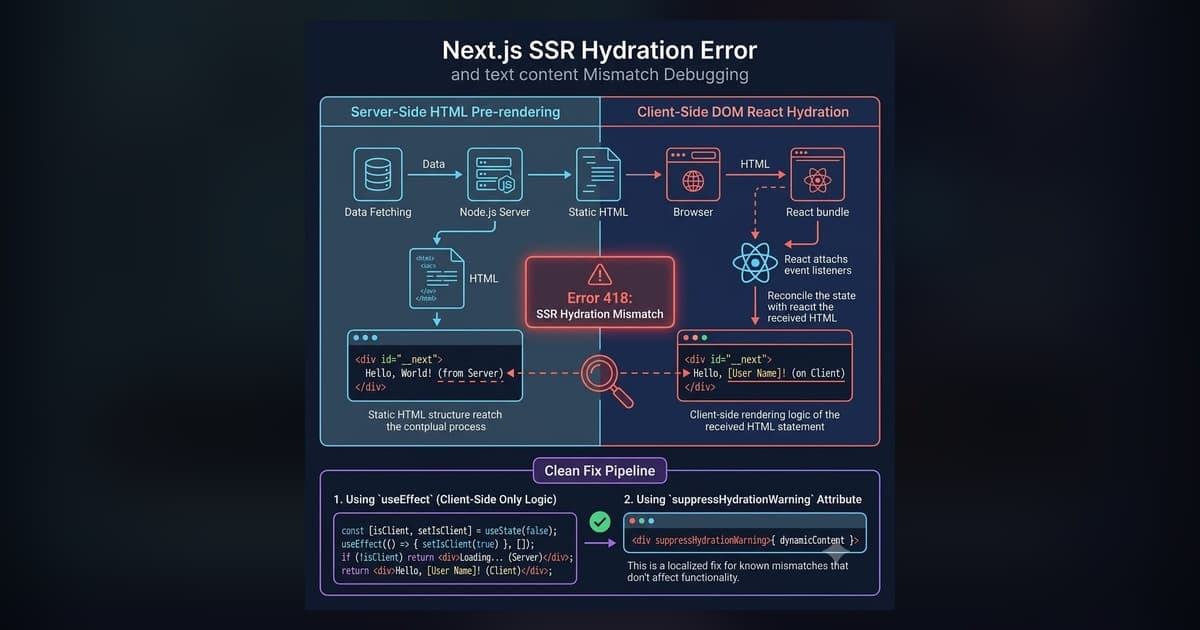
Fix Next.js Hydration Errors: React 418, Text Mismatch & suppressHydrationWarning (2026)
Copy-paste fixes for every Next.js hydration error: React #418 (browser extensions), text content mismatch, dark mode flash, suppressHydrationWarning, and Suspense #423/#425 — with real code examples.
Read more
State Management in React 2026: Beyond Redux
Comprehensive guide to React state management in 2026: comparing React 19 actions, TanStack Query server state, Zustand, Jotai, and Signals.
Read more
Mastering Next.js 14+ Metadata & Open Graph: Dynamic Social Cards at Scale
Turn social media shares into massive organic traffic drivers. Master Next.js generateMetadata, Open Graph tags, Twitter Cards, and dynamic Edge OG image generation.
Read more