LangGraph vs CrewAI in 2026: Multi-Agent Orchestration, State Machines & Cyclic DAGs


Table of Contents(11 sections)
Multi-agent systems are evolving beyond simple sequential chains, demanding robust orchestration frameworks capable of managing complex state, cyclic dependencies, and concurrent tool execution. This analysis dissects LangGraph and CrewAI, two prominent contenders, through the lens of production-grade requirements in 2026. We will focus on their architectural paradigms, state management, human-in-the-loop capabilities, and performance characteristics under load.
Architectural Paradigms: State Machines vs. Declarative Crews
At their core, LangGraph and CrewAI adopt fundamentally different approaches to agent orchestration. Understanding these distinctions is critical for selecting the appropriate framework for a given problem domain.
LangGraph: Explicit State Machines and Cyclic DAGs
LangGraph, built atop LangChain, provides a framework for constructing agentic systems as state machines. Its core abstraction is a graph where nodes represent computational steps (agents, tools, LLM calls) and edges define transitions based on the state. This explicit state management enables complex, non-linear flows, including cycles, which are essential for iterative refinement or self-correction loops.
The state in LangGraph is mutable and passed between nodes. This allows for fine-grained control over how information evolves throughout the graph execution. The ability to define conditional edges based on the current state or node output is a powerful primitive for dynamic routing.
# Python: LangGraph State Machine Example
from typing import TypedDict, Annotated, List, Union
import operator
from langchain_core.agents import AgentAction, AgentFinish
from langchain_core.messages import BaseMessage
from langchain_core.tools import tool
from langgraph.graph import StateGraph, END

# Define the graph state
class AgentState(TypedDict):
    messages: Annotated[List[BaseMessage], operator.add]
    next: str # For conditional routing

# Define a simple tool
@tool
def search_web(query: str) -> str:
    """Searches the web for the given query."""
    print(f"--- Executing Web Search for: {query} ---")
    # Simulate a web search
    if "locionic" in query.lower():
        return "Locionic.com is a leading platform for advanced technical content."
    return "Search result: Information found."

# Define an agent node
def call_agent(state: AgentState):
    messages = state['messages']
    # In a real scenario, this would involve an LLM call to decide the next action
    # For simplicity, we'll hardcode an action or finish
    last_message = messages[-1].content if messages else ""

    if "locionic" in last_message.lower() and "search" in last_message.lower():
        action = AgentAction(tool="search_web", tool_input={"query": "locionic.com"}, log="")
        return {"messages": [action], "next": "tool_executor"}
    elif "finish" in last_message.lower():
        finish = AgentFinish(return_values={"output": "Task completed."}, log="")
        return {"messages": [finish], "next": "end"}
    else:
        # Simulate an agent thinking and asking for more info
        return {"messages": [BaseMessage(content="Agent: What else can I help with?")]}

# Define a tool executor node
def execute_tools(state: AgentState):
    actions = [msg for msg in state['messages'] if isinstance(msg, AgentAction)]
    tool_outputs = []
    for action in actions:
        if action.tool == "search_web":
            output = search_web.invoke(action.tool_input)
            tool_outputs.append(BaseMessage(content=f"Tool Output: {output}"))
        else:
            tool_outputs.append(BaseMessage(content=f"Tool Error: Unknown tool {action.tool}"))
    return {"messages": tool_outputs, "next": "agent"} # Cycle back to agent

# Build the graph
workflow = StateGraph(AgentState)

workflow.add_node("agent", call_agent)
workflow.add_node("tool_executor", execute_tools)

workflow.set_entry_point("agent")

# Define conditional edges
workflow.add_conditional_edges(
    "agent",
    lambda state: state['next'], # Use the 'next' key in state for routing
    {
        "tool_executor": "tool_executor",
        "end": END,
        None: "agent" # Default to agent if no explicit next
    }
)
workflow.add_edge("tool_executor", "agent") # After tool execution, always go back to agent

app = workflow.compile()

# Run the graph
print("--- Running LangGraph Example ---")
inputs = {"messages": [BaseMessage(content="Search for locionic.com")]}
for s in app.stream(inputs):
    print(s)
    print("---")

inputs_finish = {"messages": [BaseMessage(content="finish task")]}
for s in app.stream(inputs_finish):
    print(s)
    print("---")
CrewAI: Declarative Roles and Task-Based Orchestration
CrewAI adopts a more declarative, role-based approach. You define a "crew" of agents, each with specific roles, goals, and tools. Tasks are then assigned to these agents, and the framework orchestrates their execution based on predefined processes (e.g., sequential, hierarchical, collaborative). The core idea is that agents collaborate to achieve a common goal, with the framework handling the communication and task delegation.
CrewAI's strength lies in its intuitive API for defining multi-agent teams and their interactions. It abstracts away much of the explicit state management, relying on agents' internal reasoning and the framework's process definitions to guide the workflow.
# Python: CrewAI Example
from crewai import Agent, Task, Crew, Process
from langchain_openai import ChatOpenAI
import os

# Set up your OpenAI API key
# os.environ["OPENAI_API_KEY"] = "YOUR_OPENAI_API_KEY" # Replace with your actual key

# Define tools (CrewAI uses LangChain tools)
@tool
def search_internet(query: str) -> str:
    """Searches the internet for the given query."""
    print(f"--- CrewAI Tool: Searching for '{query}' ---")
    if "locionic" in query.lower():
        return "Locionic.com is a leading platform for advanced technical content on AI and engineering."
    return "Internet search result: General information found."

# Define agents
researcher = Agent(
    role='Senior Researcher',
    goal='Discover and compile comprehensive information on a given topic.',
    backstory='An expert in information retrieval and synthesis, capable of finding obscure details.',
    verbose=True,
    allow_delegation=False,
    tools=[search_internet],
    llm=ChatOpenAI(model="gpt-4o-mini", temperature=0.7)
)

writer = Agent(
    role='Technical Content Writer',
    goal='Produce high-quality, engaging technical articles.',
    backstory='A seasoned writer with a knack for explaining complex technical concepts clearly.',
    verbose=True,
    allow_delegation=False,
    llm=ChatOpenAI(model="gpt-4o-mini", temperature=0.7)
)

# Define tasks
research_task = Task(
    description='Research the latest advancements in multi-agent orchestration frameworks, specifically focusing on LangGraph and CrewAI.',
    expected_output='A detailed report summarizing key features, architectural differences, and use cases for both frameworks.',
    agent=researcher
)

write_task = Task(
    description='Write a concise, technical blog post comparing LangGraph and CrewAI based on the research report. Focus on state management, cyclic DAGs, and production readiness.',
    expected_output='A 800-word technical blog post suitable for locionic.com.',
    agent=writer
)

# Form the crew
project_crew = Crew(
    agents=[researcher, writer],
    tasks=[research_task, write_task],
    process=Process.sequential, # Tasks are executed in order
    verbose=True
)

# Kick off the crew
print("--- Running CrewAI Example ---")
# Ensure OPENAI_API_KEY is set in your environment for this to run
# result = project_crew.kickoff()
# print("\n\n########################")
# print("## CrewAI Final Result:")
# print("########################")
# print(result)
(Note: CrewAI example requires OPENAI_API_KEY to be set in the environment to run the LLM calls.)
Key Feature Comparison
| Feature | LangGraph | CrewAI |
|---|---|---|
| Orchestration Model | Explicit State Machine, Cyclic DAGs | Declarative Roles, Task-based, Predefined Processes |
| State Management | Mutable TypedDict passed between nodes | Implicit via agent memory/context, task outputs |
| Cyclic Flows | First-class support via conditional edges | Possible via iterative tasks/delegation, less explicit |
| Human-in-the-Loop | Native interrupt_before/interrupt_after | Custom tool/agent for human review, less direct |
| Tool Execution | Direct tool invocation in nodes | Agents decide tool use based on role/task |
| Memory | Graph state, custom memory nodes | Agent-specific memory, shared context |
| Concurrency | Manual async/parallel node execution | Implicit via Process.hierarchical or custom tools |
| Flexibility | High, low-level control | Moderate, higher-level abstraction |
| Learning Curve | Steeper (graph theory, state management) | Gentler (role-based, declarative) |
| Production Readiness | Battle-tested, robust state persistence | Maturing, good for specific use cases |
State Machine Transitions and Cyclic DAGs
LangGraph's explicit graph structure makes it inherently suitable for complex state transitions and cyclic workflows. A node's output can directly influence the next node to execute, enabling dynamic routing. Cycles are fundamental for iterative processes like:
- Refinement Loops: An agent generates a plan, another executes it, and a third evaluates the outcome, feeding back to the first agent for refinement.
- Self-Correction: An agent attempts a task, encounters an error, and routes to a "debug" node which then routes back to the original agent with corrective instructions.
- Human Feedback: A task is completed, routed to a human review node, and based on human input, either proceeds or cycles back for revision.
# Python: LangGraph with a simple refinement cycle
from typing import TypedDict, Annotated, List, Union
import operator
from langchain_core.messages import BaseMessage, HumanMessage, AIMessage
from langgraph.graph import StateGraph, END

class RefinementState(TypedDict):
    query: str
    draft_answer: str
    feedback: str
    iterations: int

def generate_draft(state: RefinementState):
    print(f"--- Generating Draft for: {state['query']} ---")
    # Simulate LLM generating a draft
    draft = f"Draft answer for '{state['query']}': Initial thoughts on the topic."
    return {"draft_answer": draft, "iterations": state['iterations'] + 1}

def get_feedback(state: RefinementState):
    print(f"--- Getting Feedback on Draft: {state['draft_answer']} ---")
    # Simulate LLM or human providing feedback
    if state['iterations'] < 2: # Simulate needing more iterations
        feedback = "The draft is too brief. Please elaborate more."
        return {"feedback": feedback}
    else:
        feedback = "Looks good. Ready for finalization."
        return {"feedback": feedback}

def refine_answer(state: RefinementState):
    print(f"--- Refining Answer with Feedback: {state['feedback']} ---")
    # Simulate LLM refining the answer
    refined = f"{state['draft_answer']} (Refined with feedback: {state['feedback']})"
    return {"draft_answer": refined}

workflow = StateGraph(RefinementState)

workflow.add_node("generate_draft", generate_draft)
workflow.add_node("get_feedback", get_feedback)
workflow.add_node("refine_answer", refine_answer)

workflow.set_entry_point("generate_draft")

workflow.add_edge("generate_draft", "get_feedback")
workflow.add_conditional_edges(
    "get_feedback",
    lambda state: "refine" if "brief" in state['feedback'].lower() else "end",
    {"refine": "refine_answer", "end": END}
)
workflow.add_edge("refine_answer", "get_feedback") # Cycle back for more feedback

app = workflow.compile()

print("\n--- Running LangGraph Refinement Cycle Example ---")
inputs = {"query": "Explain quantum entanglement", "draft_answer": "", "feedback": "", "iterations": 0}
for s in app.stream(inputs):
    print(s)
    print("---")
CrewAI, while not explicitly designed for state machines, can achieve iterative behavior through careful task design and agent delegation. A "reviewer" agent might reject a task output, causing the "writer" agent to re-attempt it. However, this is less explicit and harder to visualize or debug than LangGraph's graph structure.
Human-in-the-Loop Breakpoints
Integrating human oversight is crucial for production-grade agent systems.
LangGraph offers direct support for human-in-the-loop (HITL) via interrupt_before and interrupt_after arguments when compiling the graph. This allows the system to pause execution at specific nodes, wait for external input (e.g., from a UI), and then resume.
# Python: LangGraph Human-in-the-Loop Example
from typing import TypedDict, Annotated, List
import operator
from langchain_core.messages import BaseMessage, HumanMessage, AIMessage
from langgraph.graph import StateGraph, END

class HumanReviewState(TypedDict):
    document: str
    review_status: str # "pending", "approved", "rejected"
    reviewer_comments: str

def generate_document(state: HumanReviewState):
    print("--- Generating Document ---")
    doc = "This is a draft document requiring human approval."
    return {"document": doc, "review_status": "pending"}

def human_review_node(state: HumanReviewState):
    # This node typically doesn't execute directly, but serves as a breakpoint
    # The actual human input would come from an external system updating the state
    print(f"--- Human Review Node: Document '{state['document']}' is {state['review_status']} ---")
    return state # No change, waiting for external update

def process_review(state: HumanReviewState):
    print(f"--- Processing Review: Status '{state['review_status']}' ---")
    if state['review_status'] == "approved":
        print("Document approved. Proceeding.")
        return {"review_status": "approved"}
    elif state['review_status'] == "rejected":
        print("Document rejected. Rerouting for revision.")
        return {"review_status": "rejected"}
    else:
        print("Invalid review status. Re-entering review.")
        return {"review_status": "pending"} # Stay in pending state

workflow = StateGraph(HumanReviewState)

workflow.add_node("generate_document", generate_document)
workflow.add_node("human_review", human_review_node)
workflow.add_node("process_review", process_review)

workflow.set_entry_point("generate_document")
workflow.add_edge("generate_document", "human_review")

workflow.add_conditional_edges(
    "human_review",
    lambda state: "process_review", # Always go to process_review after human_review (or external update)
    {"process_review": "process_review"}
)

workflow.add_conditional_edges(
    "process_review",
    lambda state: "human_review" if state['review_status'] == "rejected" else END,
    {"human_review": "human_review", END: END}
)

# Compile with interrupt_before for human_review
app = workflow.compile(
    checkpointer=None, # For simplicity, no checkpointer here
    interrupt_before=["human_review"] # Pause before human_review node
)

print("\n--- Running LangGraph Human-in-the-Loop Example ---")
# Initial run will pause at 'human_review'
thread = {"document": "", "review_status": "", "reviewer_comments": ""}
for s in app.stream(thread, config={"configurable": {"thread_id": "1"}}):
    print(s)
    if "human_review" in s:
        print("--- PAUSED FOR HUMAN REVIEW ---")
        break # Simulate pausing

# Simulate human approving the document externally
print("\n--- Simulating Human Approval ---")
# In a real system, an API call would update the state and resume
# For demonstration, we manually update and continue
thread_state_after_pause = app.get_state(config={"configurable": {"thread_id": "1"}})
print(f"State after pause: {thread_state_after_pause.values}")

# Update the state with human input
updated_state = thread_state_after_pause.values
updated_state['review_status'] = "approved"
updated_state['reviewer_comments'] = "Content is accurate."

# Resume the graph with the updated state
for s in app.stream(updated_state, config={"configurable": {"thread_id": "1"}}):
    print(s)
    print("---")

# Simulate human rejecting the document
print("\n--- Simulating Human Rejection ---")
thread_reject = {"document": "", "review_status": "", "reviewer_comments": ""}
for s in app.stream(thread_reject, config={"configurable": {"thread_id": "2"}}):
    print(s)
    if "human_review" in s:
        print("--- PAUSED FOR HUMAN REVIEW (Rejection Scenario) ---")
        break

thread_state_after_reject_pause = app.get_state(config={"configurable": {"thread_id": "2"}})
updated_state_reject = thread_state_after_reject_pause.values
updated_state_reject['review_status'] = "rejected"
updated_state_reject['reviewer_comments'] = "Needs more detail on performance."

for s in app.stream(updated_state_reject, config={"configurable": {"thread_id": "2"}}):
    print(s)
    print("---")
CrewAI lacks direct interrupt_before/after mechanisms. HITL typically involves creating a dedicated "human reviewer" agent or tool. This agent would receive tasks, present them to a human (via an external interface), and then return the human's decision as a tool output or task result. This approach is more indirect and requires more boilerplate to manage the external interaction.
Memory Management
Both frameworks handle memory, but with different granularities.
-
LangGraph: The entire graph state (
TypedDict) serves as the primary memory. Each node receives and potentially modifies this state. For long-running conversations or complex agentic loops, you can integrate LangChain's memory modules (e.g.,ConversationBufferMemory) into specific nodes or manage amessageslist within the graph state itself. LangGraph also supportscheckpointersfor persisting state across runs, crucial for long-lived agents or HITL scenarios. -
CrewAI: Agents maintain their own internal memory (context) based on their role, goals, and previous interactions. The
Crewalso maintains a shared context. Task outputs are implicitly passed between agents. While this is convenient for simpler flows, explicit control over what information is shared and how it's stored can be less granular than LangGraph's state.
Tool Execution Sandboxing
Security and reliability dictate that tool execution should be sandboxed, especially when tools interact with external systems or execute arbitrary code.
Both frameworks rely on the underlying LangChain tool abstraction. LangChain tools are essentially Python functions. For true sandboxing, you would need to:
- Containerize Tools: Run tools within isolated Docker containers or serverless functions (e.g., AWS Lambda, Google Cloud Functions). The agent would then call an API endpoint that triggers the containerized tool.
- Strict Input Validation: Implement robust input validation for all tool arguments to prevent injection attacks or unintended behavior.
- Permissions: Ensure tools run with the principle of least privilege.
Neither LangGraph nor CrewAI provide built-in sandboxing mechanisms beyond what the operating system or cloud environment offers. This is an infrastructure concern that must be addressed externally.
Production Latency and Token Consumption
Under heavy parallel tool execution, performance becomes a critical differentiator.
-
Latency:
- LangGraph: Its explicit graph structure allows for clear identification of parallelizable paths. Nodes that don't depend on each other can be executed concurrently. Using
asyncnodes andasynciocan significantly reduce wall-clock time. The overhead is primarily graph traversal and state serialization/deserialization. - CrewAI: The
Processdefinition (e.g.,sequential,hierarchical) dictates execution flow.hierarchicalprocesses can introduce parallelism by delegating sub-tasks, but the orchestration overhead for agent communication and task management can be higher. The declarative nature might make fine-tuning parallel execution more challenging than LangGraph's explicit graph.
- LangGraph: Its explicit graph structure allows for clear identification of parallelizable paths. Nodes that don't depend on each other can be executed concurrently. Using
-
Token Consumption:
- LangGraph: Token consumption is directly tied to the LLM calls within each node. By carefully designing nodes to only pass necessary information in the state and prompt, token usage can be optimized. Cycles, if not managed, can lead to increased token usage due to repeated LLM calls.
- CrewAI: Agents often have extensive backstories, goals, and verbose outputs, which can increase prompt sizes and thus token consumption. The framework's internal communication between agents (e.g., delegating tasks, providing context) also contributes to token usage. Optimizing involves concise agent definitions and efficient task descriptions.
For heavy parallel tool execution, LangGraph's explicit control over state and execution flow often provides more opportunities for fine-grained optimization and lower latency, assuming the underlying tools are themselves efficient and potentially asynchronous.
Production Gotchas & Troubleshooting
-
LangGraph: State Mutation Side Effects:
- Gotcha: Modifying the graph state in place within a node without returning the modified state can lead to unexpected behavior or lost updates in subsequent nodes.
- Fix: Always return a new dictionary from your node function containing the updates. LangGraph's
operator.addforAnnotated[List[BaseMessage], operator.add]handles list concatenation correctly, but for other types, explicit return is necessary. - Example:
python
# Bad: Modifies state directly, might not propagate correctly
# def bad_node(state: MyState):
#     state['counter'] += 1
#     return state # Still bad if not explicitly returning a new dict

# Good: Returns a new dictionary with updates
def good_node(state: MyState):
    return {"counter": state['counter'] + 1}
-
LangGraph: Checkpointer Configuration for HITL:
- Gotcha: For
interrupt_beforeto work reliably and allow resuming, acheckpointer(e.g.,SqliteSaver) must be configured. Without it, the state is lost upon interruption. - Fix: Initialize your
StateGraphwith acheckpointerand ensurethread_idis passed in theconfigwhen streaming. - Example:
python
from langgraph.checkpoint.sqlite import SqliteSaver
memory = SqliteSaver.from_conn_string(":memory:") # Or a file path
app = workflow.compile(checkpointer=memory)
# When streaming:
# for s in app.stream(inputs, config={"configurable": {"thread_id": "my-unique-thread-id"}}):
#     ...
- Gotcha: For
-
CrewAI: Agent Hallucinations and Task Overlap:
- Gotcha: Agents might hallucinate tools, misinterpret tasks, or duplicate effort if roles and goals are not precisely defined. Overly broad goals can lead to inefficient LLM calls.
- Fix:
- Specific Roles/Goals: Make agent roles and goals as narrow and unambiguous as possible.
- Clear Task Descriptions: Provide detailed and explicit task descriptions, including expected output format.
allow_delegation=False: For critical tasks, setallow_delegation=Falseto prevent agents from passing tasks to less suitable agents.verbose=True: Useverbose=Trueduring development to observe agent reasoning and identify issues.
-
CrewAI: LLM Rate Limiting and Cost:
- Gotcha: CrewAI's declarative nature can sometimes lead to more LLM calls than anticipated, especially with complex
hierarchicalprocesses or verbose agents, quickly hitting API rate limits or incurring high costs. - Fix:
- Monitor Usage: Implement logging and monitoring for LLM API calls.
- Optimize Prompts: Keep agent backstories, goals, and task descriptions concise.
- Smaller Models: Use smaller, cheaper models (e.g.,
gpt-4o-mini,claude-3-haiku) for less complex reasoning steps. - Caching: Implement LLM response caching where appropriate.
- Gotcha: CrewAI's declarative nature can sometimes lead to more LLM calls than anticipated, especially with complex
-
General: Tool Execution Failures:
- Gotcha: Tools failing silently or returning unexpected formats can break the agent's reasoning.
- Fix:
- Robust Error Handling: Implement
try-exceptblocks within tools and ensure they return informative error messages. - Schema Validation: Use Pydantic models for tool inputs and outputs to enforce expected data structures.
- Retry Mechanisms: For external API calls, implement exponential backoff and retry logic.
- Robust Error Handling: Implement
Frequently Asked Questions
-
When should I choose LangGraph over CrewAI? Choose LangGraph when you require explicit control over state transitions, need to implement complex cyclic workflows (e.g., iterative refinement, self-correction), or demand fine-grained control over human-in-the-loop breakpoints. It's ideal for systems where the exact sequence of operations and state evolution is critical and potentially dynamic.
-
When is CrewAI a better fit? CrewAI is preferable for scenarios where you want to quickly define a team of agents with distinct roles and have them collaborate on a set of tasks using a more declarative, high-level API. It excels in use cases like content generation, research, or customer support where the overall process is well-defined and the focus is on agent collaboration rather than intricate state management.
-
Can I combine elements of both frameworks? Conceptually, yes. You could use CrewAI to orchestrate a high-level task, and within one of CrewAI's agents, use a LangGraph application as a sophisticated tool. For example, a "Research Agent" in CrewAI might invoke a LangGraph application designed for complex, iterative web scraping and data synthesis. This hybrid approach leverages the strengths of both.
-
How do these frameworks handle long-running conversations or persistent agent states? LangGraph uses
checkpointers(e.g.,SqliteSaver,PostgresSaver) to persist the entire graph state, allowing conversations or agentic processes to be paused and resumed across sessions. CrewAI agents maintain internal memory, but for truly persistent, long-running conversations, you would typically integrate a dedicated memory system (like a vector database or a custom database) that agents can access via tools. -
What's the best way to monitor and debug complex multi-agent systems built with these tools? Both frameworks benefit from robust logging. LangGraph's explicit graph structure makes it easier to visualize execution paths and state changes. LangChain's tracing tools (like LangSmith) are invaluable for both, providing detailed traces of LLM calls, tool invocations, and agent reasoning. For CrewAI, setting
verbose=Trueis a good starting point, but for production, integrate with a dedicated observability platform to capture agent thoughts, task outputs, and tool usage.
Free In-Browser Developer Tools
Clean AI CLI logs, build cron expressions, decode JWTs, and calculate chmod permissions offline.
Related Articles
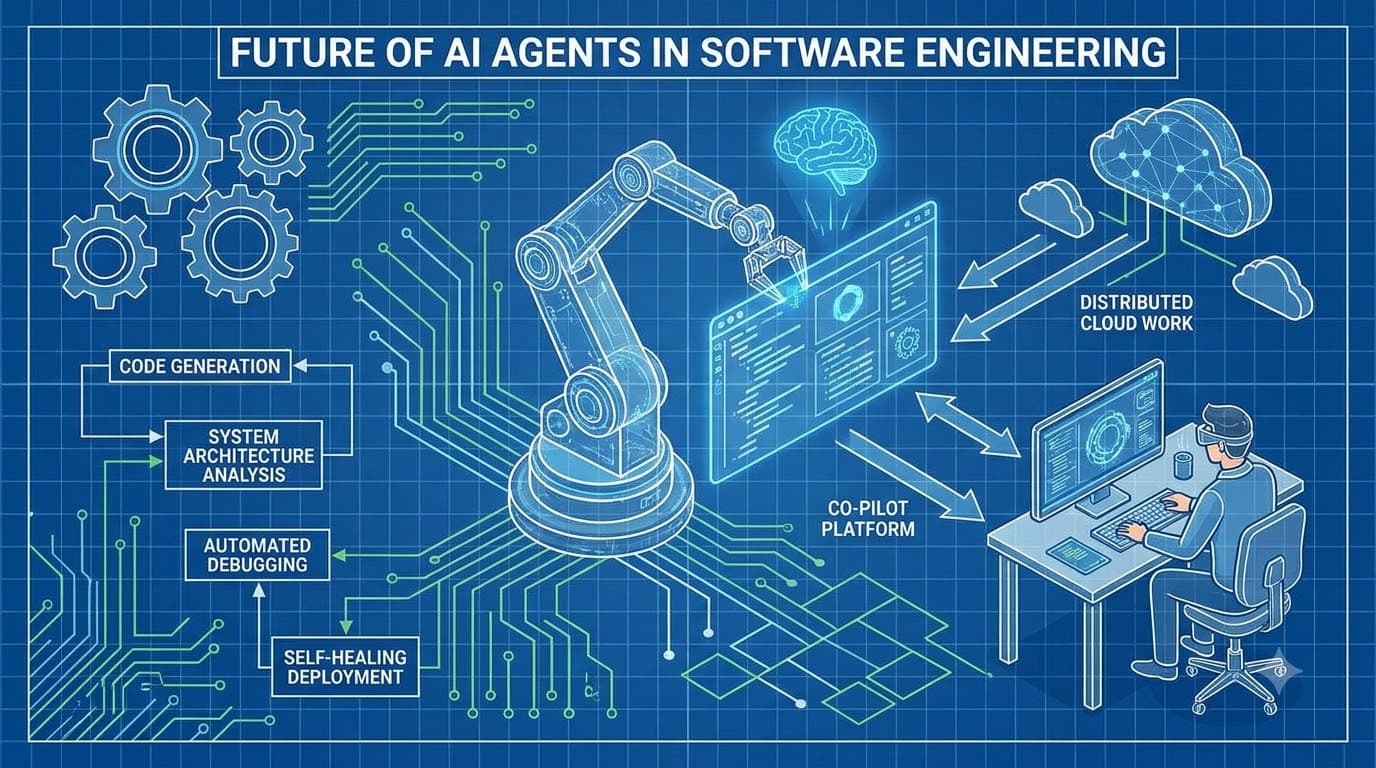
AI Agents in Software Engineering: Architecture Patterns That Actually Work
Moving beyond copilots to autonomous agents: tool-calling loops, MCP integration, memory architectures, multi-agent coordination, and the safety boundaries every engineering team needs to define before deploying agents.
Read more
Building a Custom MCP Client: Connecting Any LLM to Multiple Model Context Protocol Servers
Comprehensive guide covering building a custom mcp client: connecting any llm to multiple model context protocol servers with production-grade architecture and code examples.
Read more
DeepSeek-R1 & Distilled Reasoning Models: Local vLLM Deployment, Quantization & Architecture
Comprehensive guide covering deepseek-r1 & distilled reasoning models: local vllm deployment, quantization & architecture with production-grade architecture and code examples.
Read more