The Pragmatic GCP Architecture Guide: Which Services to Actually Use (and What to Avoid)


Google Cloud Platform is a sprawling metropolis of over 100 services. Navigating it feels like being handed a phone book and told to find a good restaurant. The paradox of choice is paralyzing. The reality of professional cloud engineering is this: a robust, scalable, and cost-effective production system is not built by using 50 different services. It's built by mastering a small, cohesive core of about 10-15 services. The other 85% are a mix of legacy systems kept for backward compatibility, hyper-niche enterprise solutions you'll never touch, or cleverly disguised budget traps designed to exploit architectural laziness. This is not a theoretical overview. This is a pragmatic, battle-tested guide from the trenches, designed to give you the architectural heuristics to build lean, powerful systems on GCP and avoid the landmines.
The 4-Tier GCP Service Classification Matrix
To survive and thrive in GCP, you must first learn to categorize services not by their marketing page, but by their practical utility and potential for causing financial or operational harm. I classify every GCP service into one of four tiers. If a service isn't on this list, you can safely ignore it until you have a multi-million dollar support contract and a team of 50 SREs.
- Tier 1: The Essential Foundation. These are the non-negotiable building blocks. 99% of new applications should be built exclusively from this tier. They are serverless, cost-effective, and operationally simple.
- Tier 2: High-Leverage Data & AI. Once your foundation is solid, these services provide disproportionate value. They allow small teams to punch far above their weight in analytics and machine learning.
- Tier 3: Niche / High-Scale. These are powerful, specialized tools. You reach for them when a Tier 1 service hits a fundamental architectural limit. They are more expensive and complex, so the decision to use them must be deliberate and justified.
- Tier 4: The Danger Zone. These services are either budget black holes or complexity swamps. Their use cases are so narrow that by the time you truly need them, you are likely operating at a scale where you have a dedicated team to manage their cost and complexity. Startups and mid-size companies should avoid them by default.
Compute: Why Cloud Run is 90% of What You Need
Let's be brutally honest: for the vast majority of stateless web services, APIs, and back-end workers, choosing GKE or GCE VMs over Cloud Run is an act of architectural malpractice in 2026. The debate is over.
Cloud Run is not just "functions-as-a-service" with a Dockerfile. It's a sophisticated container hosting platform built on Google's own internal Borg infrastructure, with a security and scaling model that is nearly impossible to replicate.
The Architecture Under the Hood
- Execution Environment: Your container doesn't run on a raw VM. It runs inside gVisor, a userspace kernel that provides a secure sandbox. It intercepts system calls from your container and validates them before passing them to the host kernel. This provides strong isolation between containers without the performance overhead of full virtualization. This is enterprise-grade security you get for free.
- Scaling & Concurrency: A traditional "instance" in Cloud Run is a firecracker micro-VM. The key tuning parameter is concurrency. If you set
--concurrency=80(the default), a single container instance will handle up to 80 simultaneous requests. This is fundamentally different from a Lambda function which handles one request at a time. This multi-request concurrency dramatically reduces cold starts and lowers cost, as one warmed-up instance can serve many users. - CPU Allocation: This is a critical, often misunderstood feature.
- CPU Boosted during requests: By default, a Cloud Run instance receives its full allocated vCPU (e.g., 1 or 2 vCPUs) only while it's actively processing a request. Between requests, its CPU is throttled to near-zero. This is perfect for I/O-bound web APIs and is incredibly cost-effective.
- CPU always-on: For background work or CPU-intensive tasks that need processing power between requests, you can set the
--cpu-allocation=always-onflag. This costs more (you pay for the vCPU for the entire instance lifetime) but is essential for certain workloads.
Cloud Run vs. GKE vs. GCE: The Pragmatic Choice
| Feature | Cloud Run | GKE (Standard) | GCE (VMs) |
|---|---|---|---|
| Operational Overhead | Near-zero. Push a container. | High. Manage control plane, node pools, upgrades, networking. | Medium. Manage OS patching, scaling groups, config. |
| Scaling | Auto-scales from 0 to 1000s in seconds. | Complex. Configure Cluster Autoscaler & HPA. | Manual/Slow. Configure Instance Groups & templates. |
| Cost Model | Pay-per-request-ms. Scales to zero. | Pay for cluster mgmt fee + idle nodes 24/7. | Pay for VMs 24/7, even if idle. |
| Security | gVisor sandboxing by default. | Your responsibility. Configure PodSecurityPolicies, network policies. | Your responsibility. Manage firewalls, OS hardening. |
| Use Case | 90% of stateless services, APIs, workers. | Complex microservice mesh, custom networking, GPU workloads. | Legacy monolithic apps, stateful apps (e.g., databases). |
Stop building Kubernetes clusters for a handful of microservices. The operational drag of managing YAMLs, node pools, and CVE patches for kube-proxy will consume engineering cycles that could be spent on product features. Start with Cloud Run. Only "graduate" to GKE when you can articulate a specific, platform-level limitation you've hit.
Production gcloud Deployment Command
Do not use the web UI. Codify your deployment. Here is a production-ready command you can put in a deploy.sh script.
#!/bin/bash

# A production-grade deployment command for a Cloud Run service.

PROJECT_ID="your-gcp-project-id"
SERVICE_NAME="my-api-service"
REGION="us-central1"
IMAGE="gcr.io/${PROJECT_ID}/${SERVICE_NAME}:latest"
SERVICE_ACCOUNT="my-service-sa@${PROJECT_ID}.iam.gserviceaccount.com"

gcloud run deploy "${SERVICE_NAME}" \
  --project="${PROJECT_ID}" \
  --image="${IMAGE}" \
  --region="${REGION}" \
  --platform="managed" \
  --allow-unauthenticated \
  --port=8080 \
  --timeout=300 \
  --concurrency=100 \
  --cpu=1 \
  --memory=512Mi \
  --min-instances=0 \
  --max-instances=10 \
  --service-account="${SERVICE_ACCOUNT}" \
  --set-secrets="DB_PASSWORD=my-db-secret:latest" \
  --vpc-egress="private-ranges-only" \
  --vpc-connector="projects/${PROJECT_ID}/locations/${REGION}/connectors/my-vpc-connector"
This command does everything: sets the region, points to a service account for IAM, injects a secret from Secret Manager, and connects to your VPC for secure egress to databases. This is the gold standard.
Data & Analytics: The Power of BigQuery + Cloud Storage
Your company's most valuable asset, after its people, is its data. Treating it poorly is an existential threat. The modern approach to analytics is a Serverless Lakehouse, and the combination of Cloud Storage and BigQuery is the best-in-class implementation.
Cloud Storage (GCS): This is your data lake. It's an infinitely scalable, highly durable (11 nines of durability), and absurdly cheap object store. You dump all raw data here: application logs, event streams, database exports, user uploads. Costing roughly $0.02 per GB/month, it's cheaper to store data than to decide whether to delete it.
BigQuery: This is your query engine. It's not a database; it's a supercomputer for running SQL queries. Its power comes from the Dremel execution engine, which has two key architectural features:
- Columnar Storage: It stores data by column, not by row. When you run
SELECT user_id, event_name FROM events, it only reads theuser_idandevent_namecolumns, skipping all other data on disk. This is orders of magnitude faster and cheaper than a row-based database. - Massively Parallel Execution: A single query is broken down into thousands of tiny stages that are distributed across a massive, multi-tenant cluster of workers. The results are aggregated in a tree-like structure. This is how BigQuery can scan terabytes of data in seconds, all without you managing a single server.
The free tier is incredibly generous: 1 TB of query data processed per month, for free. For most startups, this means your analytics platform is effectively free for the first 1-2 years.
Best Practices for Cost and Performance
To use BigQuery effectively, you must structure your tables properly.
- Partitioning: Divide a table into segments based on a date or integer column. When you query with a
WHEREclause on the partition column, BigQuery only scans the relevant partitions. - Clustering: Sort the data within a partition by up to four columns. This co-locates related data, so when you filter or join on those columns, BigQuery reads less data.
Here is a DDL statement for a well-structured events table:
CREATE TABLE my_dataset.user_events (
  event_timestamp TIMESTAMP,
  user_id STRING,
  event_name STRING,
  payload JSON
)
PARTITION BY DATE(event_timestamp)
CLUSTER BY user_id, event_name
OPTIONS (
  description="User events partitioned by day and clustered by user/event."
);
When you run a query like SELECT * FROM my_dataset.user_events WHERE DATE(event_timestamp) = '2026-09-22' AND user_id = 'user-123', BigQuery will first go directly to the '2026-09-22' partition, and then within that partition, it will efficiently read the blocks containing data for 'user-123'. This can reduce query cost and time by 99% compared to an unpartitioned table.
The AI Layer: Vertex AI vs Google AI Studio
Generative AI is here to stay, but many teams are implementing it with a dangerous anti-pattern: using API keys copied from Google AI Studio (formerly MakerSuite). Never, ever put a raw API key in your code or environment variables. These keys are often long-lived, overly permissive, and a nightmare to rotate. If one leaks, you have a major security incident.
The production-ready solution is Vertex AI. It's Google's enterprise-grade MLOps platform, and it provides a secure, IAM-controlled way to access Google's foundation models like Gemini.
The correct authentication flow uses Application Default Credentials (ADC).
- You create a dedicated IAM Service Account for your application (e.g.,
my-api-sa@...). - You grant this service account the single, least-privilege role it needs:
roles/aiplatform.user. - When your Cloud Run service (or GCE, GKE pod) runs, it automatically authenticates as this service account. The Google Cloud client libraries transparently pick up these credentials.
- Your code calls the Vertex AI endpoint without any keys or secrets. IAM handles the authorization.
Securely Calling Gemini 2.5 Pro with Python
Here is the correct, production-grade Python code to interact with a Gemini model from a service running on GCP. Notice the complete absence of API keys.
import vertexai
from vertexai.generative_models import GenerativeModel

# Your project ID and location, fetched from environment or hardcoded.
PROJECT_ID = "your-gcp-project-id"
LOCATION = "us-central1"

def call_gemini():
    """
    Securely initializes the Vertex AI client and calls the Gemini 2.5 Pro model.
    This function assumes it's running in a GCP environment with a service account
    that has the 'roles/aiplatform.user' permission.
    """
    # Initialize Vertex AI. The client library automatically uses Application
    # Default Credentials (ADC) to authenticate. No API key needed.
    vertexai.init(project=PROJECT_ID, location=LOCATION)

    # Load the Gemini 2.5 Pro model
    model = GenerativeModel("gemini-2.5-pro")

    # Send a prompt to the model
    response = model.generate_content(
        "Explain the difference between Cloud Tasks and Cloud Pub/Sub "
        "from the perspective of a principal engineer."
    )

    print(response.text)

if __name__ == "__main__":
    call_gemini()
This is secure, auditable, and scalable. You can revoke the service account's access instantly in the IAM console without redeploying your application.
Asynchronous Architecture: Cloud Tasks vs Cloud Pub/Sub
Not all work can happen in a synchronous web request. For background jobs, notifications, and data processing pipelines, you need an asynchronous architecture. GCP provides two excellent Tier 1 / Tier 3 services for this, but they solve different problems.
| Feature | Cloud Tasks (Tier 1) | Cloud Pub/Sub (Tier 3) |
|---|---|---|
| Model | Task Queue (Command-oriented) | Message Bus (Event-oriented) |
| Delivery | Push. HTTP POST to a webhook. | Pull/Push. Subscribers pull messages or receive pushes. |
| Key Use Case | Schedule a task: "Send welcome email in 5 mins." | Broadcast an event: "A new user just signed up." |
| Targeting | Point-to-point. One task, one handler. | Fan-out. One event, many interested subscribers. |
| Features | Scheduled dispatch, rate limiting, retries w/ backoff, de-duplication. | High-throughput (millions of msgs/sec), global scale, message filtering. |
| Analogy | A calendar reminder to do a specific chore. | A company-wide announcement broadcast over a PA system. |
Use Cloud Tasks when: You need to perform a specific action at a later time or need to control the rate of execution. Examples: sending an email, processing an uploaded video, calling a third-party API that has a rate limit.
Use Cloud Pub/Sub when: You need to decouple services and react to events in real-time. An event is a statement of fact (e.g., user_created, order_placed). Multiple downstream services (analytics, notifications, fraud detection) can all subscribe to the same topic and react independently. Pub/Sub is for high-scale, event-driven architectures. It's more complex to set up (subscriptions, pull workers) and belongs in Tier 3 for a reason. Start with Tasks.
The GCP Bill Shock Autopsy: 5 Traps That Drain Startup Budgets
The cloud giveth, and the cloud taketh away. Nothing sinks a startup faster than a surprise five-figure cloud bill. Here are the most common culprits and how to fix them.
1. Cloud NAT (Danger Zone)
- The Trap: You need your Cloud Run services in a VPC to talk to a Cloud SQL database. But now they need to reach a public API. You add a Cloud NAT gateway. You get hit with a ~32/month per-gateway hourly fee** *plus* a **0.045/GB data processing fee. This adds up incredibly fast.
- The Fix:
- Best: Avoid it. For accessing other Google APIs, enable Private Google Access on your subnet. It's free.
- Good: If you absolutely need to hit an external, non-Google API, create a single Cloud NAT gateway for the entire region and route all subnets through it. Do not create one per VPC or per service.
2. Unbounded GCS Bucket Versioning
- The Trap: You enable object versioning on a bucket for backup purposes, but you never configure a cleanup policy. Every time you overwrite a file (e.g., a user profile picture), the old version is kept. After a year, you are paying to store 100 versions of every file.
- The Fix: Apply a lifecycle rule to the bucket. This is non-negotiable for any versioned bucket.
- Policy: Delete any non-current version older than 30 days.
- Configuration (
lifecycle.json):json{ "rule": [ { "action": { "type": "Delete" }, "condition": { "numNewerVersions": 10, "isLive": false } }, { "action": { "type": "Delete" }, "condition": { "daysSinceNoncurrent": 30, "isLive": false } } ] } - Command:
gcloud storage buckets update gs://your-bucket --lifecycle-file=lifecycle.json
3. Unparsed Cloud Logging Ingestion (Danger Zone)
- The Trap: Your services are logging thousands of lines of verbose JSON debug statements per minute. Cloud Logging happily ingests it all at $0.50 per GB. A single buggy service can generate terabytes of logs, costing you hundreds or thousands of dollars.
- The Fix:
- Filter at Source: In your application's logging configuration, set the default level to
INFOin production. - Use Log Sinks: Create a log router sink to export non-essential or high-volume logs directly to BigQuery (for cheap, queryable long-term storage) or Cloud Storage (for archival). You can create an exclusion filter to stop these logs from being ingested into Cloud Logging in the first place. Example filter:
jsonPayload.level="DEBUG".
- Filter at Source: In your application's logging configuration, set the default level to
4. Cross-Region Egress Fees
- The Trap: Your Cloud Run service is in
us-central1, but your Cloud SQL database is ineurope-west1. Every single byte read from the database now incurs a cross-region egress fee of 0.08 to 0.12 per GB. This is a silent killer for data-intensive applications. - The Fix: Simple but strict discipline: Co-locate all your services within the same region. Your compute, database, and storage should all live in
us-central1(or your region of choice). There are very few valid reasons to run a multi-region active-active architecture until you are at massive scale.
5. GKE Cluster Management Fees + Idle Nodes (Danger Zone)
- The Trap: You spin up a GKE Standard cluster for a small project. You immediately start paying a ~$73/month cluster management fee. Then you create a node pool with
n1-standard-2machines. Even if your application gets zero traffic, you are paying for those VMs to be on 24/7. - The Fix:
- Best: Use Cloud Run. It scales to zero.
- Good: If you must use GKE, use GKE Autopilot. You pay per-pod resource usage, and it handles the node management and scaling for you. The management fee is waived for Autopilot clusters. It's more expensive per-CPU-hour, but you don't pay for idle capacity, making it far cheaper for most workloads.
Production Blueprint: Minimalist Terraform Manifest
Infrastructure-as-code is not optional. This main.tf file provisions a secure, production-ready foundation using the Tier 1 services we've discussed.
# main.tf - A minimal, production-ready GCP setup

terraform {
  required_providers {
    google = {
      source  = "hashicorp/google"
      version = "~> 5.0"
    }
  }
}

provider "google" {
  project = "your-gcp-project-id"
  region  = "us-central1"
}

# 1. Dedicated Service Account for the application
resource "google_service_account" "app_sa" {
  account_id   = "my-api-service-sa"
  display_name = "Service Account for My API"
}

# 2. A GCS bucket for application assets or data
resource "google_storage_bucket" "app_bucket" {
  name          = "my-unique-app-bucket-name-12345"
  location      = "US-CENTRAL1"
  force_destroy = false # Set to true only for dev environments

  lifecycle_rule {
    condition {
      age = 30 # days
    }
    action {
      type = "Delete"
    }
  }
}

# Grant the Service Account read/write access to the bucket (least privilege)
resource "google_storage_bucket_iam_member" "bucket_access" {
  bucket = google_storage_bucket.app_bucket.name
  role   = "roles/storage.objectAdmin"
  member = "serviceAccount:${google_service_account.app_sa.email}"
}


# 3. A secret in Secret Manager
resource "google_secret_manager_secret" "db_password" {
  secret_id = "my-db-secret"

  replication {
    automatic = true
  }
}

resource "google_secret_manager_secret_version" "db_password_version" {
  secret      = google_secret_manager_secret.db_password.id
  secret_data = "s3cure-p@ssw0rd-from-terraform-vault!"
}

# Grant the Service Account access to ONLY this specific secret
resource "google_secret_manager_secret_iam_member" "secret_access" {
  secret_id = google_secret_manager_secret.db_password.id
  role      = "roles/secretmanager.secretAccessor"
  member    = "serviceAccount:${google_service_account.app_sa.email}"
}


# 4. The Cloud Run service itself
resource "google_cloud_run_v2_service" "api_service" {
  name     = "my-api-service"
  location = "us-central1"

  template {
    scaling {
      min_instance_count = 0
      max_instance_count = 10
    }

    containers {
      image = "us-docker.pkg.dev/cloudrun/container/hello" # Replace with your image
      ports {
        container_port = 8080
      }

      env {
        name = "BUCKET_NAME"
        value = google_storage_bucket.app_bucket.name
      }

      volume_mounts {
        name = "secret-volume"
        mount_path = "/etc/secrets"
      }
    }

    volumes {
      name = "secret-volume"
      secret {
        secret = google_secret_manager_secret.db_password.secret_id
        items {
          path = "db_password"
          version = "latest"
        }
      }
    }

    service_account = google_service_account.app_sa.email
  }
}

# Allow public traffic to the Cloud Run service
resource "google_cloud_run_v2_service_iam_member" "public_access" {
  project  = google_cloud_run_v2_service.api_service.project
  location = google_cloud_run_v2_service.api_service.location
  name     = google_cloud_run_v2_service.api_service.name
  role     = "roles/run.invoker"
  member   = "allUsers"
}
This Terraform manifest is the blueprint for a robust and secure service. It correctly separates concerns, enforces least-privilege IAM, and provisions the core Tier 1 services.
Frequently Asked Questions
Yes, with some important considerations. As of late 2023, Cloud Run supports WebSockets, HTTP/2, and gRPC streaming out of the box. The maximum request timeout has also been extended to 60 minutes. This makes it suitable for many real-time use cases. However, you need to enable session affinity to ensure a client is routed back to the same container instance for the duration of its session. It's not designed for indefinite connections that last for hours, but for tasks like dashboard updates, notifications, or transactional gRPC streams, it works very well. For persistent connections lasting >1 hour, a dedicated GCE VM might still be a better, albeit more complex, choice.
You should resist migrating to GKE for as long as possible. The trigger for migration is almost never "scale," as Cloud Run scales incredibly well. The real triggers are about control and platform-specific needs. Consider GKE when:
- Complex Networking: You need a service mesh like Istio for fine-grained traffic shaping, mTLS, or complex ingress/egress policies that Cloud Run's simpler networking can't handle.
- Kernel/OS Control: Your application needs specific kernel modules,
sysctltuning, or privileged access that the gVisor sandbox in Cloud Run prohibits. - Specialized Hardware: You need specific GPU types, TPUs, or stateful persistent disks that are only available on GCE nodes managed by GKE.
- Massive Service Count: You are managing a mesh of 50+ microservices where the orchestration, dependency management, and discovery capabilities of Kubernetes provide a tangible benefit that outweighs its operational cost.
Cost control in BigQuery is a critical discipline. There are three layers of defense:
- Architectural: Always partition and cluster your tables. This is the most effective cost control measure.
- Per-Query: Before running a query in the BigQuery UI, look at the top right corner. It will show a "Query validator" that estimates "This query will process X GB when run." If that number looks scary, stop. You can also set a maximum bytes billed setting in your query job configuration. If the query exceeds this limit, it will fail instead of running up a bill.
- Project/User Level: In the IAM & Admin section, you can set Custom Quotas. You can set a hard limit on "Query usage per day per user" or "Query usage per day per project." For example, you can set a quota of 1TB/day for the entire project. Once this is hit, all further queries will be denied until the next day. This is an excellent safety net to prevent runaway costs.
Actionable Next Steps & Architecture Checklist
Reading this guide is the first step. Internalizing it and applying it is what matters. Here is your checklist for building pragmatic, production-grade systems on GCP.
- [ ] Default to Cloud Run: For every new stateless service, start with Cloud Run. Do not even consider GKE unless you have a documented, specific reason.
- [ ] Audit Your Logging: Check your Cloud Logging ingestion volume and cost. Are you paying to store worthless debug logs? Set up sinks and exclusion filters today.
- [ ] Review GCS Lifecycle Policies: Check every GCS bucket, especially those with versioning enabled. Ensure a
Deletelifecycle rule for old versions or old objects is in place. - [ ] Codify Everything in Terraform: Your infrastructure should be code. Use the provided manifest as a starting point. No manual clicking in the console for production resources.
- [ ] Use Dedicated Service Accounts: Every Cloud Run service should have its own IAM service account with the bare minimum roles it needs to function.
- [ ] Embrace the Serverless Lakehouse: Set up a pipeline to dump raw operational data into a GCS bucket. Use BigQuery with partitioned tables to analyze it. This is your path to a data-driven culture.
- [ ] Stay in One Region: Unless you have a legal or latency-driven requirement, co-locate all your compute, storage, and databases in a single region to eliminate egress costs.
By focusing on the powerful, cost-effective core of GCP and actively avoiding the danger zones, you can build systems that are not only technically excellent but also financially sustainable. The best architecture is often the simplest one that works.
Test Your Knowledge
A startup is building a new microservices-based application on GCP. They anticipate moderate, but unpredictable, traffic spikes and want to minimize operational overhead and cost. Based on the article's classification, which compute service should they prioritize for their core application logic?
Free In-Browser Developer Tools
Clean AI CLI logs, build cron expressions, decode JWTs, and calculate chmod permissions offline.
Related Articles
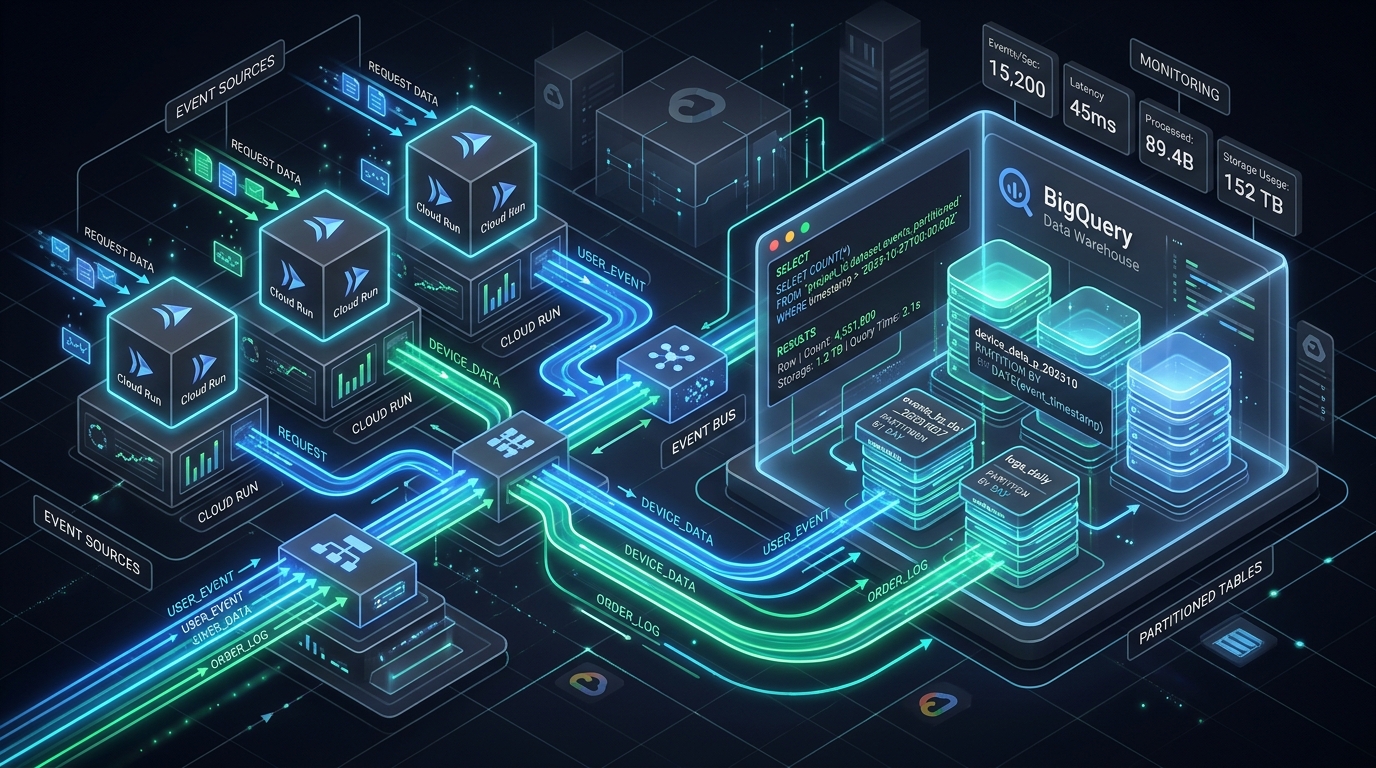
BigQuery + Cloud Run: Building a Production Serverless Data Ingestion Pipeline
A production-grade guide to serverless data ingestion on Google Cloud: the BigQuery Storage Write API, partitioning and clustering strategy, a FastAPI async receiver on Cloud Run, complete Terraform, a real cost breakdown, and the failure modes that page you at 3am.
Read more
The Complete Google Cloud Platform (GCP) Services Handbook: Architecture, CLI Recipes & Production Cheat Sheet
An exhaustive architectural handbook and cheat sheet covering all Google Cloud Platform (GCP) services, enterprise decision matrices, CLI recipes, cost traps, and production wiring.
Read more
Kafka Tiered Storage Architecture: Slashing EBS Storage Costs with AWS S3 & Google Cloud Storage
Slashing Kafka storage bills by 80% with object storage tiering: S3 and GCS segment offloading, fetch latency benchmarks, and disaster recovery architectures.
Read more